ESP32 OTA Updates Compared: Web, GitHub, HTTPS Pull
Compare ESP32 OTA update methods: ArduinoOTA, web upload, HTTPS pull from GitHub Releases and USB, with partition needs, security and rollback.
- Author
 Mauro Brambilla
- Published
- Reading time
- 10 min
- Category
- Comparisons
In short
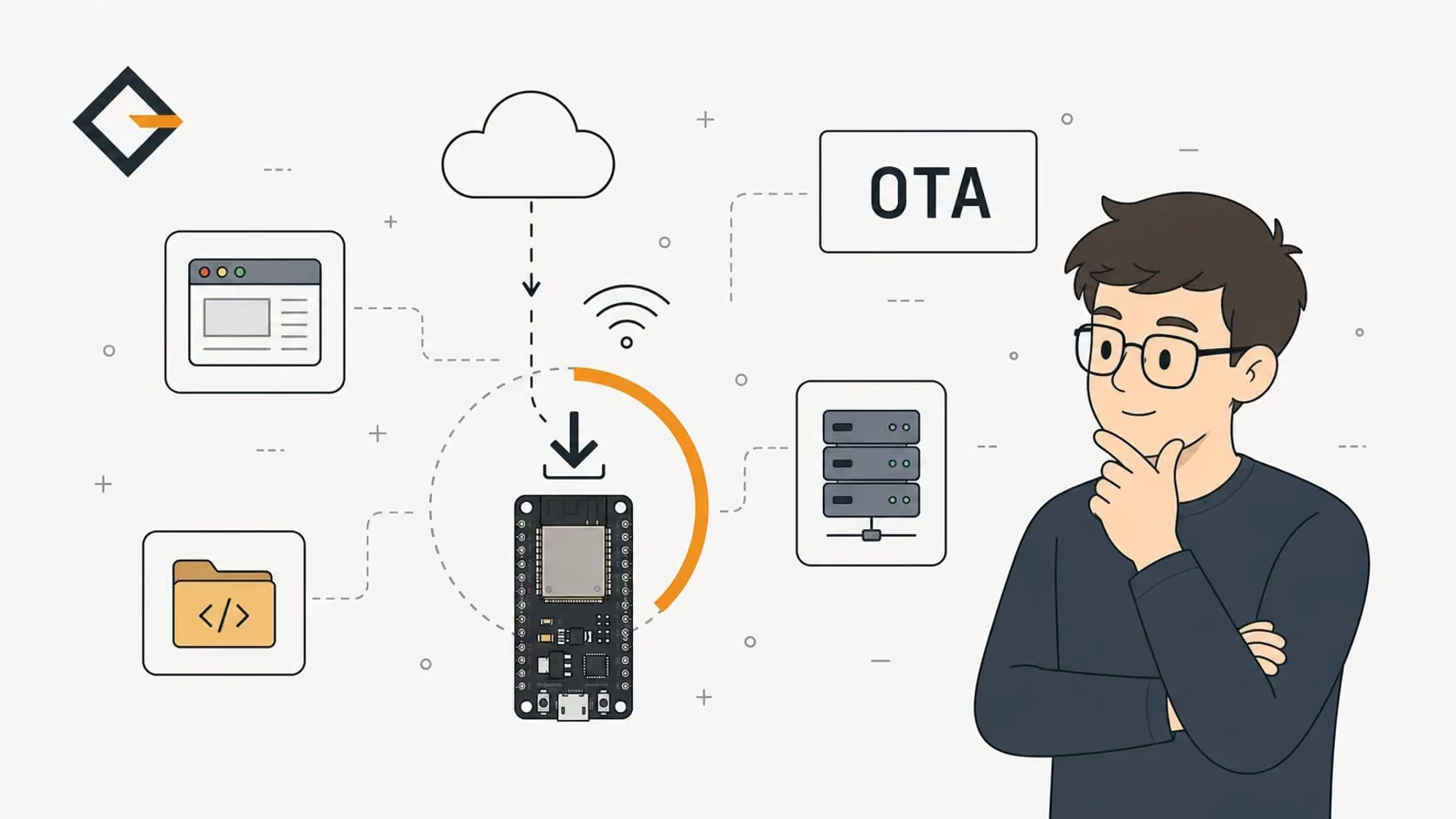
ArduinoOTA and web upload push a .bin over your LAN, HTTPS pull lets the board fetch it, and all three need two OTA app slots. OpenGizmo ships none of them: it flashes over USB.
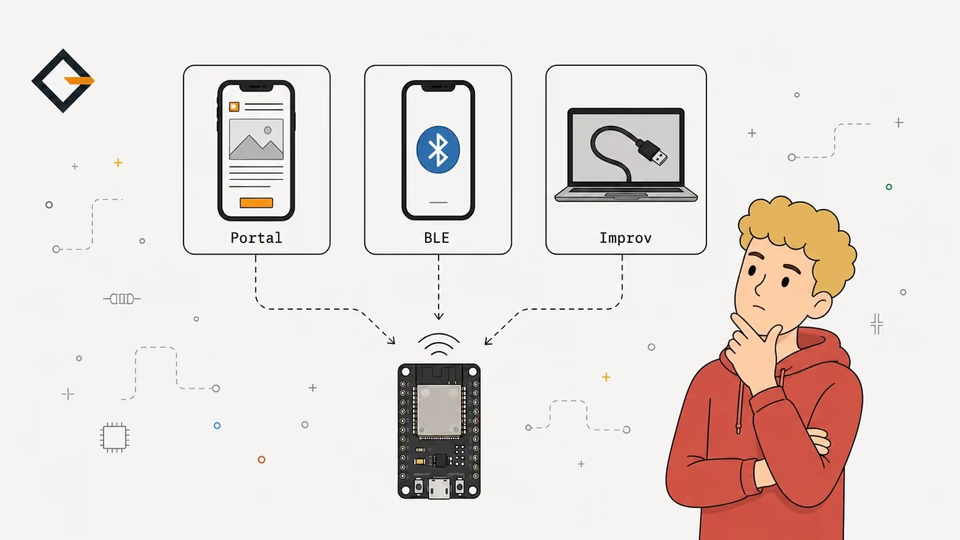
An ESP32 OTA update replaces the running firmware over Wi-Fi: the chip writes the new image into the spare one of two OTA app partitions, then reboots into it. You can push the .bin from your computer (ArduinoOTA), upload it through a page on the board, or let the board pull it over HTTPS from a server or GitHub Releases. All three need a partition table with two app slots.
This post compares those methods, plus plain USB flashing, on effort, security, rollback and flash cost. The OTA facts come from the ESP-IDF and Arduino-ESP32 documentation and source, linked inline. The OpenGizmo facts come from the three firmware repositories, which I read for this post. I did not run any of the OTA methods on hardware, so nothing here is a benchmark.
How does an ESP32 OTA update work?
OTA means over-the-air: the firmware that is already running receives the next firmware and installs it. Espressif's OTA documentation says the OTA functions write the new image to the slot that is not selected for boot, and only after it is verified does the OTA data partition get updated to say that this image should be used for the next boot.
That design is why an interrupted download is harmless: the running app is never touched. The docs set one limit on it. The safe path covers applications. The bootloader, the partition table and data partitions are an "unsafe update" in the same page, because a power cut during the final copy can break the device.
The minimum layout, in the same page, is "at least two OTA app slot partitions (i.e., ota_0 and ota_1) and an OTA Data Partition". The partition table guide shows the whole flash map. For this comparison, the one number that matters is the slot size, because the new image has to fit in a slot that is not the one you are running from.
ArduinoOTA vs web upload vs HTTPS pull: which one?
The difference is who starts the transfer and where the .bin comes from. Here are the four ways side by side.
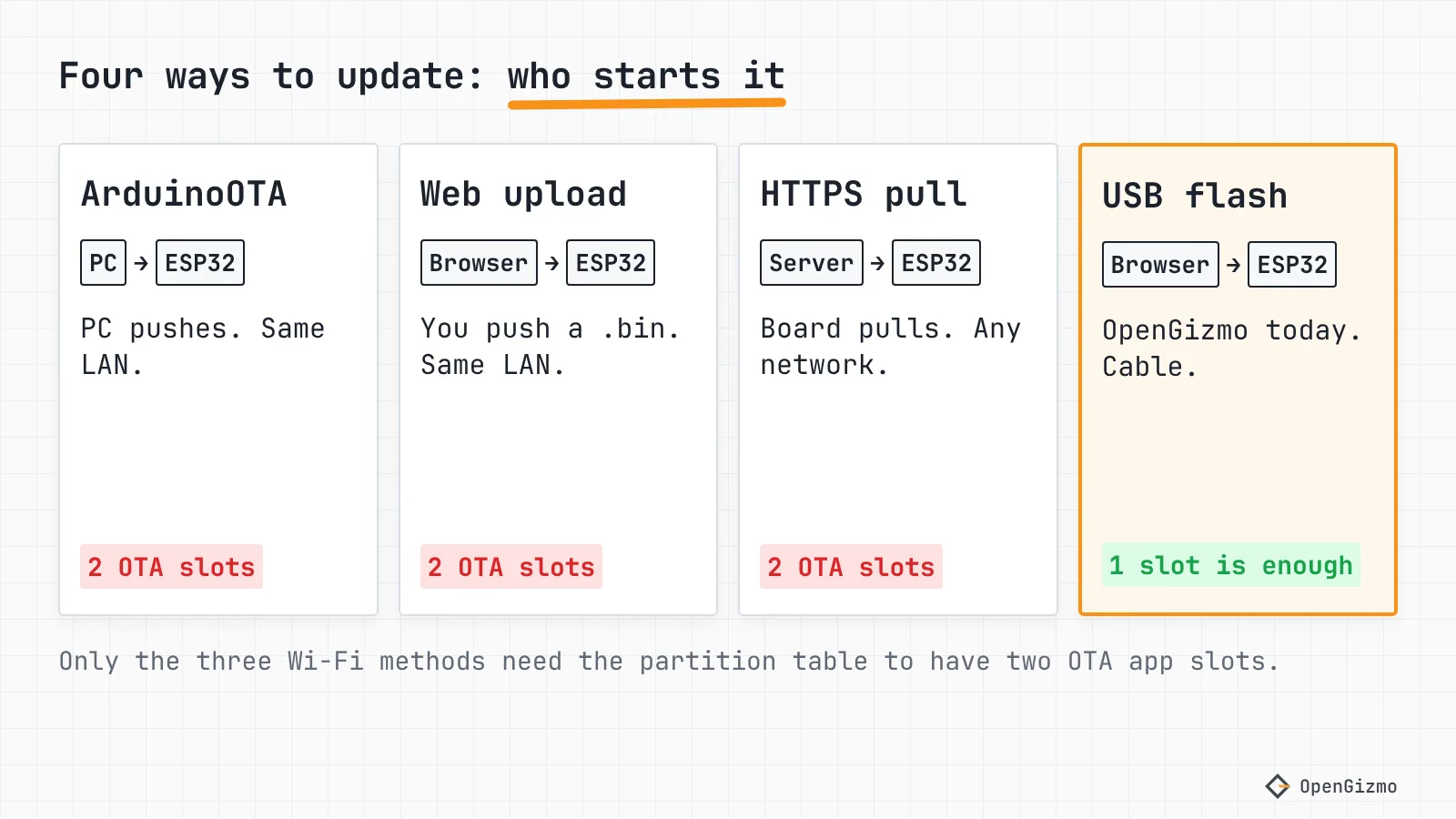
| Method | Who starts it | Network | Two OTA slots | Protection out of the box |
|---|---|---|---|---|
| ArduinoOTA | Your computer, with espota.py or PlatformIO | Same LAN, found by IP or mDNS | Yes | Optional password; plain TCP transfer |
| Web upload | You, in a browser | Same LAN, HTTP page on the board | Yes | None, or the basic auth you add |
| HTTPS pull | The board, on a timer or a button | Any network that reaches the server | Yes | TLS, if you give it a certificate |
| USB re-flash | You, with a cable | None | No | Physical access |
ArduinoOTA: push from your computer
The ArduinoOTA library in the Arduino-ESP32 core listens on port 3232 by default and names the board esp32- plus its MAC address unless you call setHostname(). A tool sends a UDP invitation, and the board opens a TCP connection back to the computer to pull the image. You must call handle() in loop(), or the board never answers.
The password is hashed with SHA-256 and checked in a challenge-response with PBKDF2-HMAC-SHA256, according to the source. The image itself arrives over plain TCP as far as the source shows, with an MD5 check for integrity only. mDNS is on by default, which is convenient and also the place where .local names fail on Android and some routers.
PlatformIO supports it directly. Its Espressif 32 docs say to set upload_protocol = espota and upload_port to the IP address or the mDNS name, with --auth in upload_flags for the password. If you are choosing a toolchain too, Arduino IDE vs PlatformIO covers the trade.
Web upload: a page on the board
A web updater serves an upload form from the ESP32. Espressif's OTA web update page walks through the OTAWebUpdater example: browse to http://esp32.local, log in with the default admin and admin, and pick the compiled binary. The page says the board and the computer must be on the same network, and it says nothing about changing that login.
ElegantOTA wraps the same idea in a nicer page. Its free edition does firmware and filesystem updates, MD5 verification and optional HTTP basic auth, under the AGPL-3.0 license. Auto update and direct download are Pro features. With ESPAsyncWebServer you need the ELEGANTOTA_USE_ASYNC_WEBSERVER=1 build flag, and the README warns that you cannot run the synchronous and the async server in one firmware.
The weak point is plain HTTP. A password typed into an HTTP form crosses your Wi-Fi unencrypted, the same limit an open captive portal has, as the provisioning comparison explains. On a home LAN that may be acceptable. On a shared network it is not.
HTTPS pull: the board fetches the image
With a pull, the board decides when to update. In ESP-IDF, esp_https_ota() does it in one call from a URL, and esp_https_ota_begin(), perform() and finish() give you control over the loop. In the Arduino core, HTTPUpdate does the same job. It sends the current version as an x-ESP32-version header, and treats a 204 or 304 answer as "no update", so a server can decide what to send.
This is the only method that works across the internet and needs no one nearby. It is also the one where the security details matter most, so they get their own section below.
USB re-flash: no OTA at all
A USB flash needs only one app slot, the board in reach and a cable. It is what the browser flasher does, and I come back to it with the OpenGizmo numbers below.
How do you update an ESP32 from GitHub Releases?
GitHub Releases is a free place to host versioned .bin files, and the board can fetch them with an HTTPS pull. Three details decide whether it works.
- Upload the app image, not the merged flash. An OTA writes one app image into a slot, so upload the app alone. A merged file also holds the bootloader and the partition table, which are not an app image. OpenGizmo's releases already publish the app alone as
release-firmware.bin, next to the bootloader, partition table andboot_app0parts. - Expect a redirect. GitHub's release asset docs say clients should handle both a 200 and a 302 response. HTTPUpdate's constructor disables redirects by default, according to the source, so a 302 fails the update until you call its
setFollowRedirects()method. In ESP-IDF, the HTTPS OTA docs add that the CA certificates of redirect targets must also be incert_pem. - Mind the rate limit. The REST API allows 60 requests per hour per IP address without authentication. I did not verify whether plain asset downloads count against it, so poll rarely, once a day is plenty for a desk gadget.
A cleaner design splits the check from the download: poll a tiny version file, and fetch the .bin only when the number is higher. The release API also lists a SHA-256 digest for each asset. For the Ticker's release-firmware.bin it prints sha256:647b987e..., which I read from the API on November 14, 2026, so a board could compare it with the digest of what it wrote.
I am not publishing a code sample here, because I did not compile one for this post. The API calls above are in the linked docs, and each has an example.
What partition layout does OTA need?
OTA needs an OTA data partition and two OTA app slots, each big enough for your app. Slot size is where projects get caught. The Arduino-ESP32 core ships several tables, and I read their definitions to compare them with a real firmware: the Gizmo Ticker v1.2.0 app, which is 1,796,736 bytes according to its GitHub release.
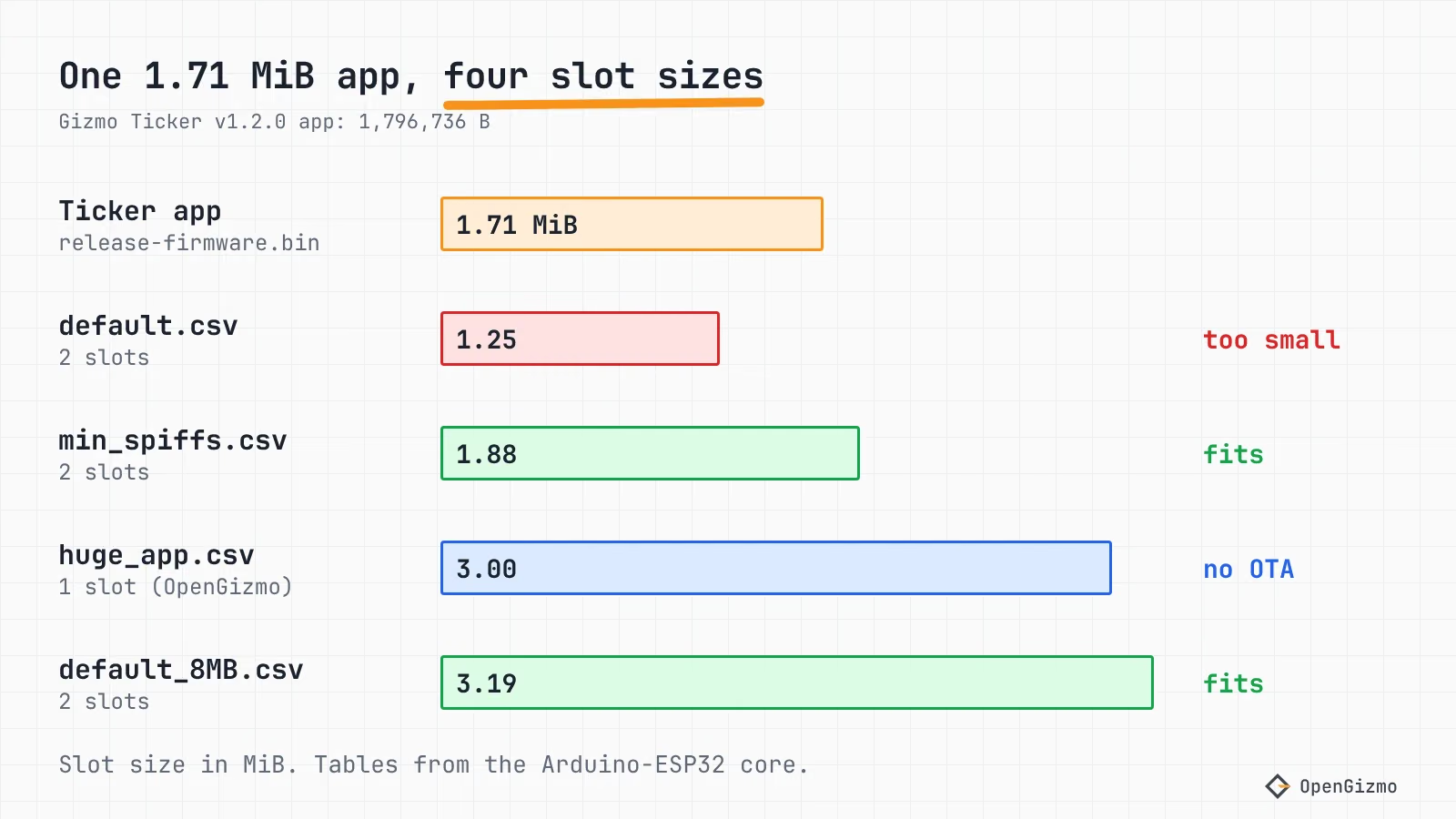
| Table (Arduino-ESP32 core) | App slots | Slot size (bytes) | Slot size (MiB) | Fits the 1,796,736 B app? |
|---|---|---|---|---|
| huge_app.csv | 1 (ota_0) | 0x300000 = 3,145,728 | 3.00 | Yes, but no second slot |
| default.csv | 2 | 0x140000 = 1,310,720 | 1.25 | No |
| min_spiffs.csv | 2 | 0x1E0000 = 1,966,080 | 1.88 | Yes, with 169,344 B to spare |
| default_8MB.csv | 2 | 0x330000 = 3,342,336 | 3.19 | Yes, needs 8 MB of flash |
The definitions are in the core's default.csv, min_spiffs.csv, default_8MB.csv and huge_app.csv. All four keep nvs at 0x9000 with 0x5000 bytes and the first app at 0x10000. The partition table guide lists these and the other schemes in full. The default table's 1.25 MiB slots are the trap: a firmware with a TLS stack, an async web server and a web app inside it can be larger than that, and the update fails.
Two more rules from Espressif's partition table guide: app partitions must sit on 64 KB (0x10000) boundaries, and the OTA data partition is 0x2000 bytes. Changing the table is itself outside the safe OTA path, so moving from a one-slot table to a two-slot table is a one-time USB flash.
How do you make OTA safe: HTTPS, signing and rollback?
Four separate protections exist, and each answers a different question: is this the right server, is the image mine, is it bad, and is it older than what I already run.
| Question | Mechanism | What it needs | What it does not do |
|---|---|---|---|
| Is this the right server? | TLS with cert_pem or the certificate bundle | A root certificate in flash, or crt_bundle_attach | Does not prove the file is yours |
| Is this image mine? | Signed images: Secure Boot v2, or the software-only signature check | A signing key; Secure Boot v2 burns eFuses | Software-only mode does not stop an attacker who can write flash |
| Is this image bad? | Rollback to the previous OTA slot | Two slots, a bootloader built with the rollback option | Only OTA slots roll back, not a factory app |
| Is this image older? | Anti-rollback with a secure version in eFuse | A security version in the app, checked against eFuse | Cannot be undone once the eFuse is written |
Server check. The ESP-IDF page says the root certificate in PEM format goes into cert_pem, and recommends the server's root, not an intermediate, because roots last longest. It also says an unset transport defaults to TLS, so an http:// URL fails unless CONFIG_ESP_HTTPS_OTA_ALLOW_HTTP is enabled. Alternatively, crt_bundle_attach verifies against the ESP x509 Certificate Bundle.
This matters for OpenGizmo's own code. The Gizmo Ticker's market-data client calls clientSecure.setInsecure() in api.cpp, which encrypts the traffic but accepts any certificate. That is a fair trade for a coin price. It would be a bad one for firmware, because anyone who can impersonate the server on your network could send code. An OTA client must verify the server.
Signing. Espressif's Secure Boot v2 page says the app is verified on each OTA update, and that on the classic ESP32 Secure Boot v2 needs chip revision v3.0 or later. It enables itself through eFuses, so plan the keys first. The software-only mode checks signatures during OTA, and the page warns it gives no protection against an attacker with write access to flash.
Rollback. ESP-IDF's rollback is a bootloader option, CONFIG_BOOTLOADER_APP_ROLLBACK, which the OTA page says is enabled by default in ESP-IDF. A new image starts in the pending-verify state, and if the app never calls esp_ota_mark_app_valid_cancel_rollback(), the bootloader skips it on the next boot. Arduino-ESP32's startup code in esp32-hal-misc.c has hooks for this, verifyOta() and verifyRollbackLater(). I did not verify whether the prebuilt Arduino bootloader has rollback enabled, so check your own build before relying on it. The core's Update class also has canRollBack() and rollBack() to boot the other slot by hand.
ESPHome takes the managed route: its OTA component offers an esphome platform, a web_server platform and an http_request platform that pulls from a server, with safe mode enabled automatically. If you would rather not build any of this, see ESPHome vs custom firmware.
Does OpenGizmo use OTA?
No. I searched the three firmware repositories and the gizmo-common versions they pin (v2.5.1 for the Ticker and the Reolink Switch, v2.4.0 for the Camera) for ota, ArduinoOTA, HTTPUpdate, Update.h and esp_ota, and found no OTA code on November 14, 2026. The Gizmo Ticker, the Gizmo Reolink Switch and the Gizmo Camera all set board_build.partitions = huge_app.csv, and the line's own comment says "One 3 MB app slot (no wireless updates), the same in every OpenGizmo firmware". You can read it in the Ticker's platformio.ini.
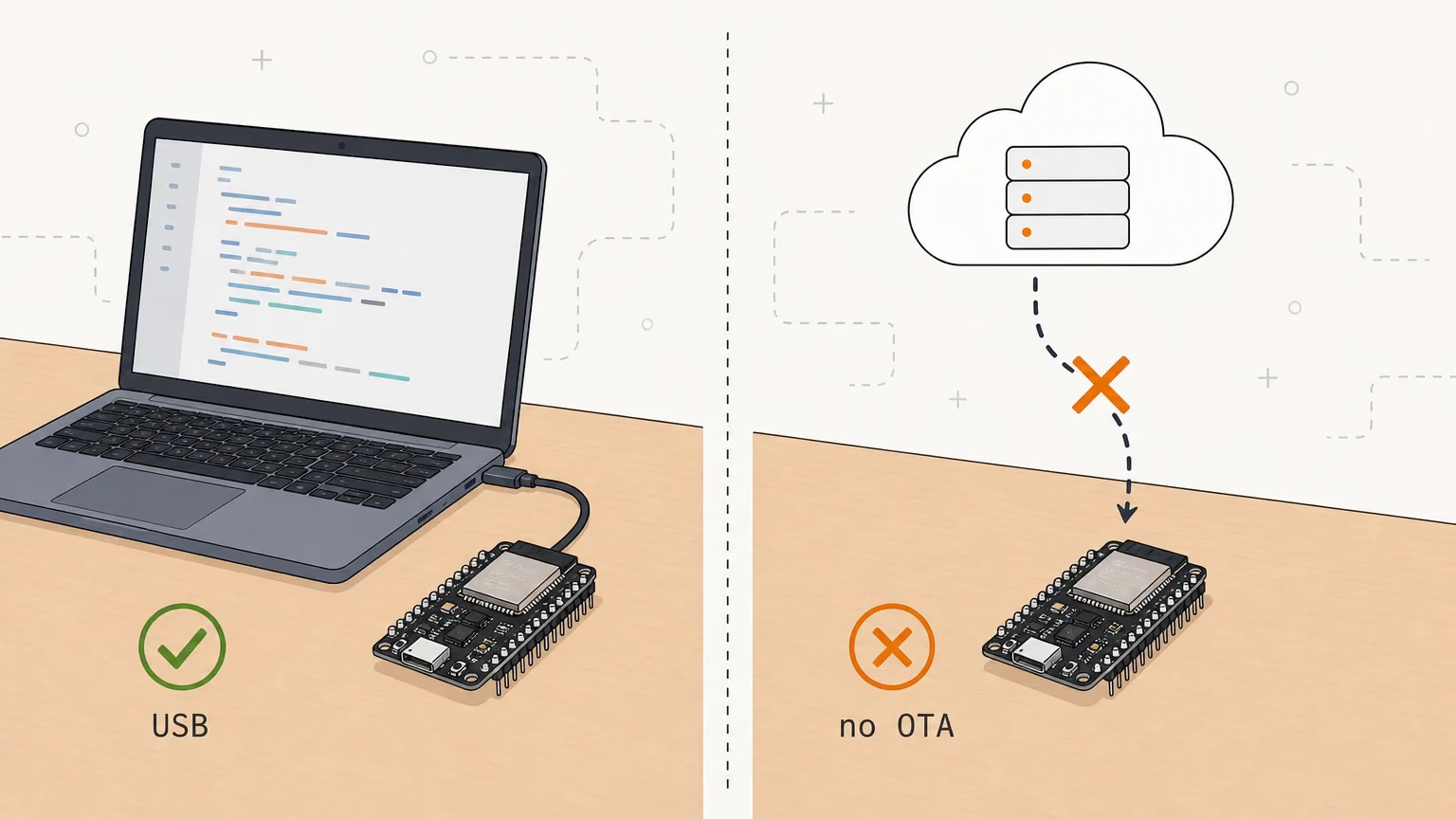
Updates go over USB instead. Each project page has a card that flashes the latest release from the browser, as the ESP Web Tools guide shows. Three things make that work well here, and all are in the repositories:
- The web app is inside the firmware.
gizmo-commonserves it from assets built into the app image, so there is one file to update, not a separate filesystem image. - Settings survive. The flasher writes four parts and never erases the
nvsregion, so a USB update keeps the saved Wi-Fi and settings. - The version is visible. Each build reports its version in
/api/device, and the release workflow checks that the version is new before it publishes.
The cost is real: you need the board and a cable, and a board closed in its enclosure or mounted out of reach is a chore to update.
With one slot there is no room for an OTA anyway. The app sizes in the releases are 1,796,736 bytes (Ticker v1.2.0), 1,778,336 (Reolink Switch v1.2.0) and 1,722,192 (Camera v1.0.0), so none of them fits the 1.25 MiB slots of default.csv.
How would OTA layer on top?
This is a plan, not something I built. The XIAO ESP32-S3 has 8 MB of flash according to Seeed's wiki, so default_8MB.csv gives two 3.19 MiB slots, with the Ticker and Reolink apps fitting in each. The Camera board's flash is something to check on your module first. The steps would be:
- Ship one release with the new partition table over USB, since the table is outside the safe OTA path. The flasher already writes
release-partitions.binat 0x8000. - Add an HTTPS pull that checks the release manifest or a version file, and downloads
release-firmware.binonly when it is newer. - Verify the server with the certificate bundle, never
setInsecure(), and compare the asset's SHA-256. - Mark the new image valid only after the web server and Wi-Fi come up, so a bad image rolls back.
The price is that flash now holds two copies of the app, so the app area is shared between them, and that you must write code that decides when it is safe to reboot a device someone is looking at.
Which ESP32 OTA method should you use?
Use ArduinoOTA with PlatformIO while you develop, because it removes the cable from the edit-and-test loop. Use a web upload page when someone else must update a few boards and you can protect the page. Use an HTTPS pull when many boards sit out of reach, and only with certificate checking, a size check and rollback in place. Use USB when the board is on your desk, the firmware is small and settings must survive, which is where OpenGizmo is today.
The limit of this comparison is that I read the docs and the source and ran none of the methods, so I have no timings, failure rates or power figures. The first thing to check on your own project is the slot size against your app. Then see how the flasher builds and uploads releases, and read the partition table post before changing your table.
Frequently asked questions
Find quick answers to the most common questions about this topic.
Yes, with an HTTPS pull. The board requests the release's .bin asset, which GitHub answers with a redirect, so the HTTP client must follow redirects, and it writes the file into the spare OTA slot. HTTPUpdate in the Arduino-ESP32 core has redirects off by default, so you must turn them on.

Author
Mauro BrambillaReady to build your own gizmo?
Pick an open-source ESP32 project and follow its step-by-step guide, from the parts list and wiring to the firmware and the first boot.