ESP32 Wi-Fi Provisioning: Captive Portal, BLE, Improv
Compare ESP32 Wi-Fi provisioning: hard-coded credentials, captive portal, Espressif BLE and SoftAP, Improv and ESP-Touch, on security and phone setup.
- Author
 Mauro Brambilla
- Published
- Reading time
- 9 min
- Category
- Comparisons
In short
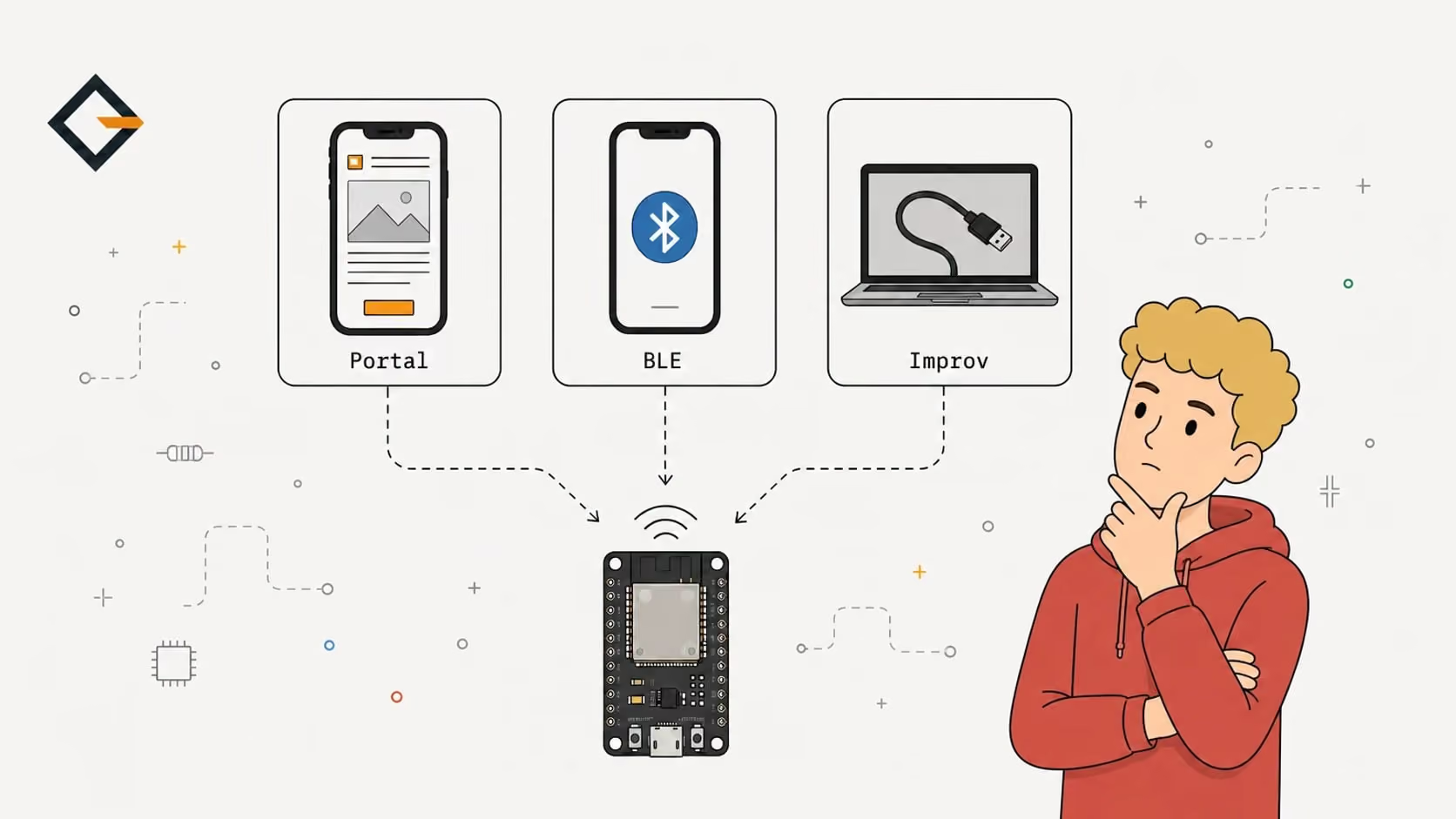
For a board a stranger sets up from a phone, a captive portal needs no app but sends the password unencrypted. Espressif's Security 1 or 2 encrypts it, and Improv suits a board on USB.
ESP32 Wi-Fi provisioning is how a board learns your network name and password without them being compiled into its firmware. The common methods are hard-coded credentials, a captive portal, Espressif's BLE or SoftAP provisioning, Improv and ESP-Touch. For a board someone sets up from a phone, I'd pick the captive portal, unless the password needs encryption.
This post compares them on setup effort, security, memory and recovery. The portal side comes from the gizmo-common source that runs in every OpenGizmo device, and the rest from the Espressif, Improv and WiFiManager documentation linked below. I did not run BLE, Improv or ESP-Touch on hardware for this post, so those sections describe documents, not tests.
What is Wi-Fi provisioning, and why not hard-code the password?
Provisioning means getting the credentials to a board that has none. Hard-coding is the zero-effort version: you put WiFi.begin("name", "password") in the source and flash it. That works for a board only you will use on one network, and it breaks the moment the router changes. It also leaves your password in the source file and in the firmware binary, so you can't publish or share either one as-is.
That second point is why every shared project needs a better answer. Prebuilt firmware, like the images the browser flasher installs, has to be identical for everyone, so the credentials must arrive after the flash.
What are the options for ESP32 Wi-Fi provisioning?
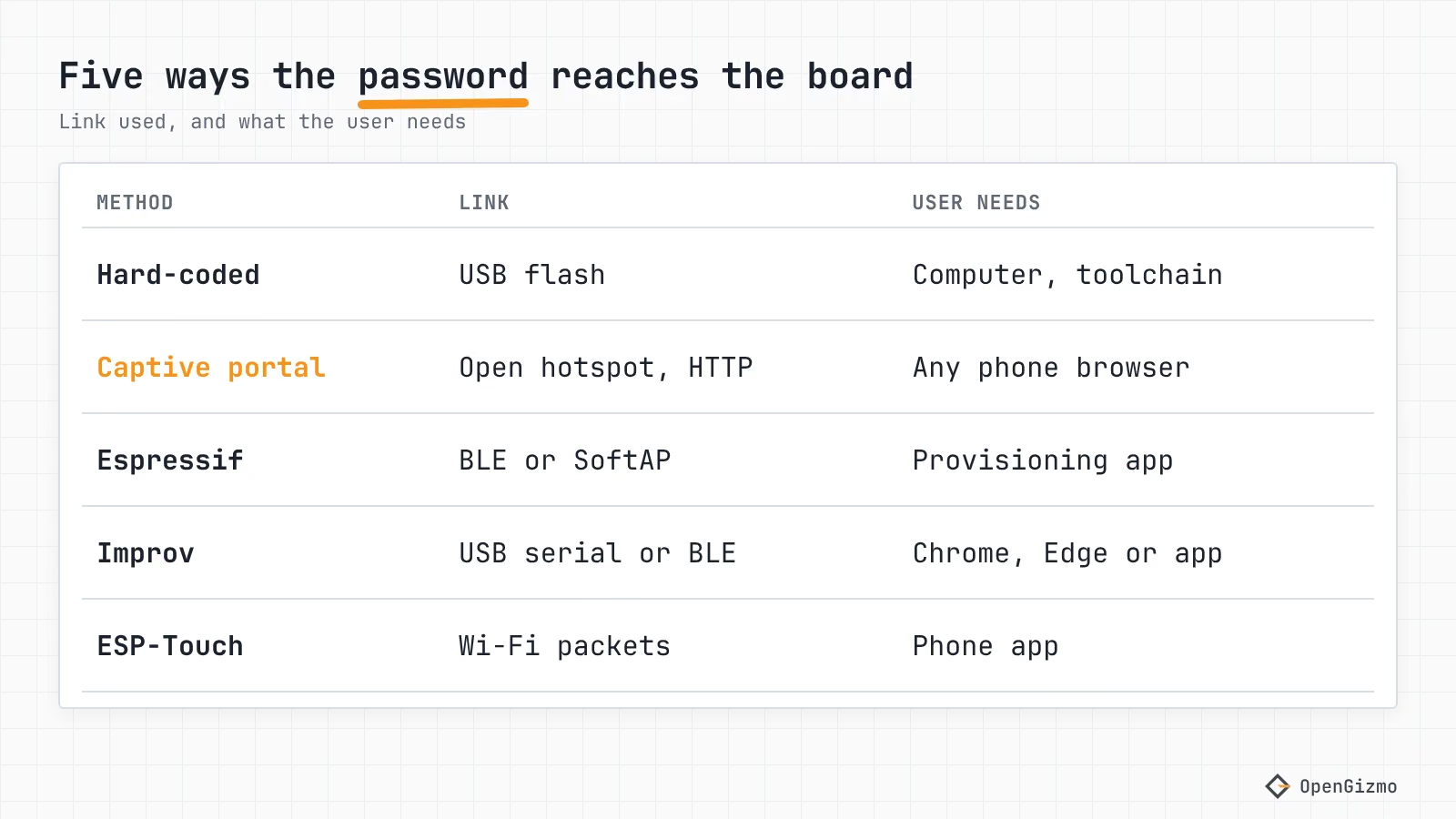
| Method | How the credentials arrive | User needs | Protection in transit |
|---|---|---|---|
| Hard-coded | Compiled into the firmware | Source code, toolchain | Not sent; stored in the binary |
| Captive portal | Web form served by the board over its own hotspot | Any phone or laptop with a browser | None if the hotspot is open; WPA2 if you set a hotspot password |
| Espressif unified provisioning | BLE (GATT) or SoftAP with an HTTP server | Espressif's example app, or your own | Security 0: none. Security 1: AES-256-CTR. Security 2: AES-256-GCM |
| Improv Serial or BLE | Binary packets over USB serial or Bluetooth LE | Chrome or Edge (not on iOS) for the web demos, or an app | Not described in the spec |
| ESP-Touch (SmartConfig) | A phone app broadcasts the credentials, the board listens | Phone app (Espressif publishes an Android one) | Optional AES in ESP-Touch v2 |
Here is what sits behind each row.
Captive portal (and WiFiManager)
The board opens its own hotspot and serves a setup page. If the board can't join a saved network, WiFiManager does the same thing: it switches to access point mode and runs a DNS and a web server, and the repository calls the result a captive portal. The README says the documentation is out of date, and it covers ESP8266 and ESP32. gizmo-common is the OpenGizmo version of the idea, written for the projects' own web apps. How the popup opens and why it sometimes doesn't is in ESP32 Captive Portal Not Working? Fix the Wi-Fi Popup.
Espressif's unified provisioning
ESP-IDF's Unified Provisioning is a framework, not a page: it carries the credentials, and optionally other settings, over BLE (GATT) or SoftAP plus HTTP. Espressif lists provisioning apps for Android and iOS with source code, and a Python tool, esp_prov, for debugging. The current docs page points to the network_provisioning component for the library code and examples. The BLE transport takes about 110 KB of RAM at runtime, according to the same page, and most of it can be reclaimed if you stop using BLE afterward. The Arduino-ESP32 core wraps it as WiFiProv with a SoftAP and a BLE scheme.
Improv
Improv Wi-Fi is an open standard with two transports, Serial and Bluetooth LE, and says both can be used from a browser. The serial spec defines packets that start with IMPROV, and commands such as send Wi-Fi settings and scan networks. ESPHome ships it as the improv_serial component, and ESP Web Tools is on Improv's list of adopters. The C++ SDK is Apache-2.0 licensed, and its README lists code documentation as a to-do.
ESP-Touch
ESP-Touch, also called SmartConfig, works the other way around: the phone app already knows the network, and sends it to the board. In Espressif's Android library the app is given the access point's SSID, BSSID and password, and the task can use broadcast or multicast packets. ESP-Touch v2 isn't compatible with the original. The ESP-IDF SmartConfig page says v2 supports AES encryption with a 16-byte key. It also says to stop the task afterward to free memory.
Which method is simplest for the user?
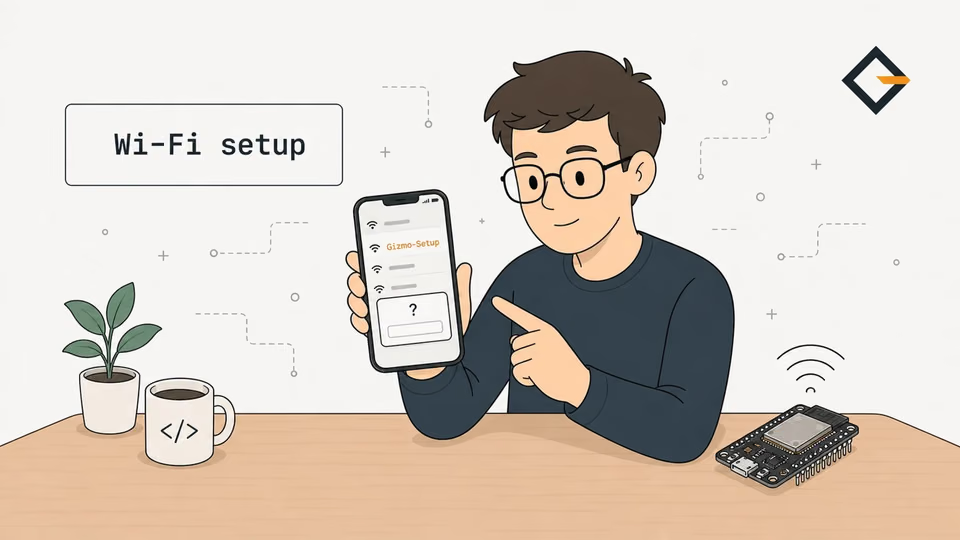
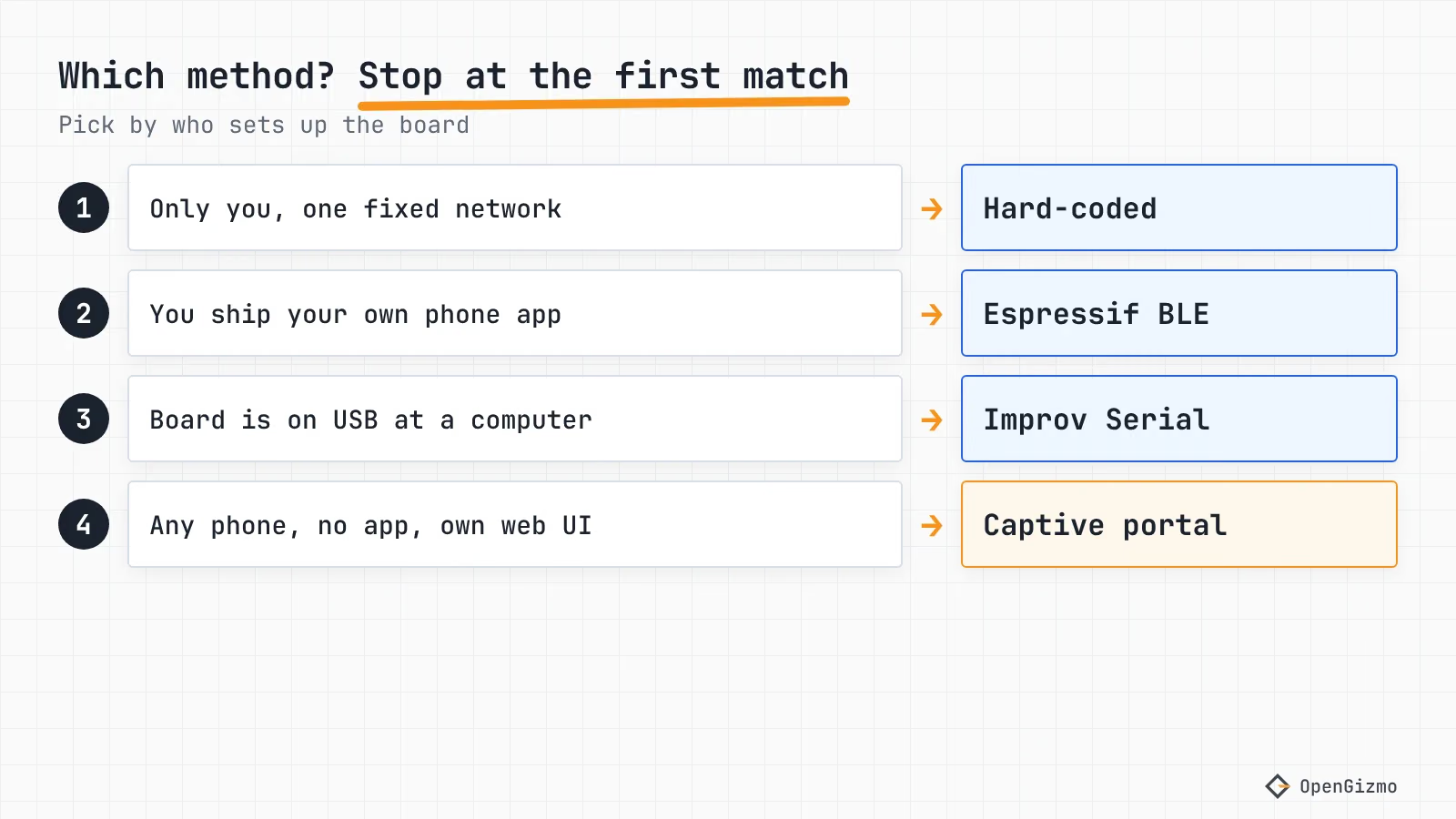
The simplest one is the one that asks for nothing the user doesn't already have. A phone browser is the only thing a captive portal needs. Joining a hotspot is a step people know from hotels and cafés, which is the whole bet behind it. It has one rough edge: the phone decides whether to open the sign-in page, and some don't.
BLE provisioning is smoother in one respect. Espressif notes that on both Android and iOS the app can find and connect to the board without leaving the app, while SoftAP provisioning sends iOS users to the System Settings to join the board's network. The price is the app: someone has to build, publish and maintain it, or the user installs Espressif's generic one.
Improv Serial is the easiest when the board is already plugged into the computer, because a page like ESP Web Tools' can show the device and send the Wi-Fi settings over the same cable. It does nothing for a board that sits in a drawer on the other side of the house. The Improv site says its web demos need Chrome or Edge and don't run on iOS.
ESP-Touch needs no hotspot, but the user still needs an app that supplies the network's name and password. I did not find a primary source for its behavior with 5 GHz networks, so I can't say how it fails there.
How secure is each method?
Security here means one thing: can someone near the board read or replace the credentials while they travel? Espressif's docs are the most explicit. There are three schemes:
- Security 0: "No security (No encryption)."
- Security 1: Curve25519 key exchange with AES-256-CTR encryption. It has an authorized mode that uses a proof-of-possession (PoP) string, a per-device secret the user enters in the app, and a mode without one.
- Security 2: SRP6a key derivation with AES-256-GCM, based on a username and password that you provide to the phone app by some means, for example a QR code sticker.
For SoftAP, Espressif also suggests WPA2 with a unique per-device passphrase. One detail to check in the Arduino core: the beginProvision function in the WiFiProv.h header defaults to the proof of possession "abcd1234", so set your own before you ship.
Improv is thinner. In the BLE spec, the password travels as plain bytes in the RPC command characteristic, and the page doesn't describe pairing or encryption, so any protection depends on your BLE stack. What it adds is an optional authorization step: a device may wait for a physical interaction before it accepts credentials, and the authorization expires after a timeout the spec suggests as one minute. The checksum only catches accidental corruption.
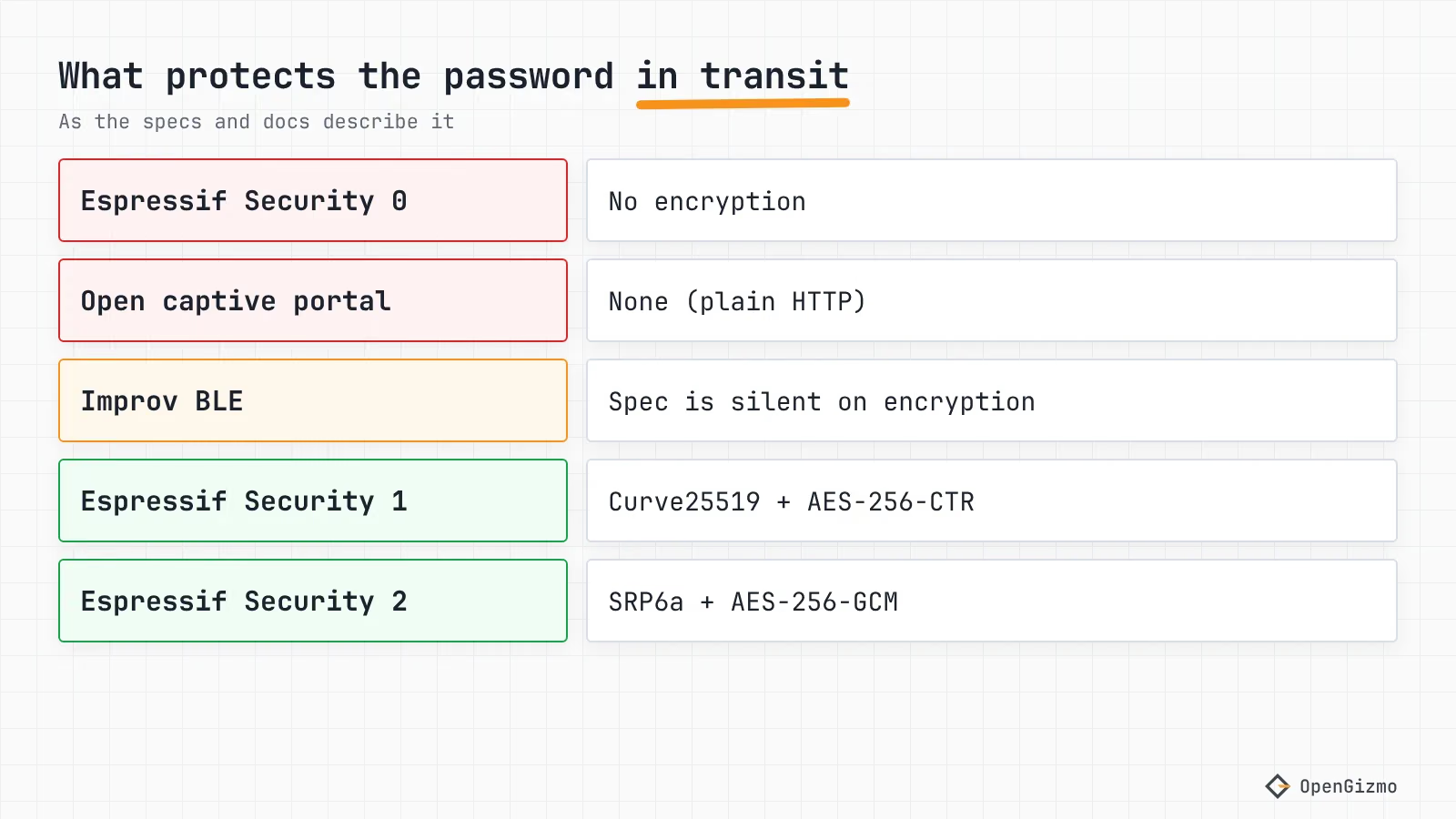
An open captive portal has no protection at all, and I'd rather say so than hide it. The gizmo-common hotspot is started with WiFi.softAP(setupOptions.accessPointName), with no password, so the credentials go over plain HTTP. That means anyone in radio range of the board during setup could, in principle, read them. I reasoned that from the code and did not test a capture. Two things limit the exposure: the hotspot opens only while there's no working network (the firmware keeps it for two minutes after Wi-Fi comes back, so the phone can see the result), and while it runs only four API paths answer (/api/networks, /api/connect, /api/check-connection and /api/device), as the guardRequest code shows. WiFiManager says you "can and should" password-protect its access point; with a known password the traffic is at least WPA2-encrypted on the air.
How do you store credentials and recover from a bad password?
Saving is the easy half. The harder half is a typo: if the board overwrites a working network with a wrong password, it is now offline and has no way to say so.
gizmo-common handles this in wifi_setup.cpp. New credentials are kept in RAM and tried first. They are written to NVS (the ESP32's key-value flash store, namespace gizmo-wifi, keys ssid and password) only once the connection works. If the attempt fails after 12.5 seconds, the board drops them, goes back to the saved network and opens the hotspot again. I did not find any NVS encryption in the code I read, so the saved password sits in flash as plain text.
For a deliberate reset, a user can hold the XIAO ESP32-S3's BOOT button for 10 seconds, or press Forget network in the web app, as the gizmo-common README describes and the captive portal fix guide explains. Whatever method you choose, ask the same question of it: what happens when the password is wrong, and can the user fix it without a computer? Improv has a dedicated "unable to connect" error in its spec, and ESP-Touch gives up after a timeout that the SmartConfig page says ranges from 15 to 255 seconds.
Does 5 GHz break any of these?
The ESP32-S3 on the XIAO board has no 5 GHz radio, as covered in the ESP32 buying guide, where only the ESP32-C5 is dual band. A method that scans from the board, such as the portal or an Improv scan, lists only what the board can hear. The Wi-Fi page of the web app has exactly that state for an empty scan: "No networks found yet", with a Scan again button (see docs/screenshot-wifi.png in the Gizmo Ticker repository). If your router merges both bands under one name, the board can usually still join on the 2.4 GHz side. If it names them separately, choose the 2.4 GHz name.
Which method did OpenGizmo pick, and why?
All three OpenGizmo projects, the Gizmo Ticker, the Gizmo Reolink Switch and the Gizmo Camera, use the captive portal. I found no Improv, BLE provisioning or ESP-Touch code in the three firmware repositories. These are the reasons I can point to in the code:
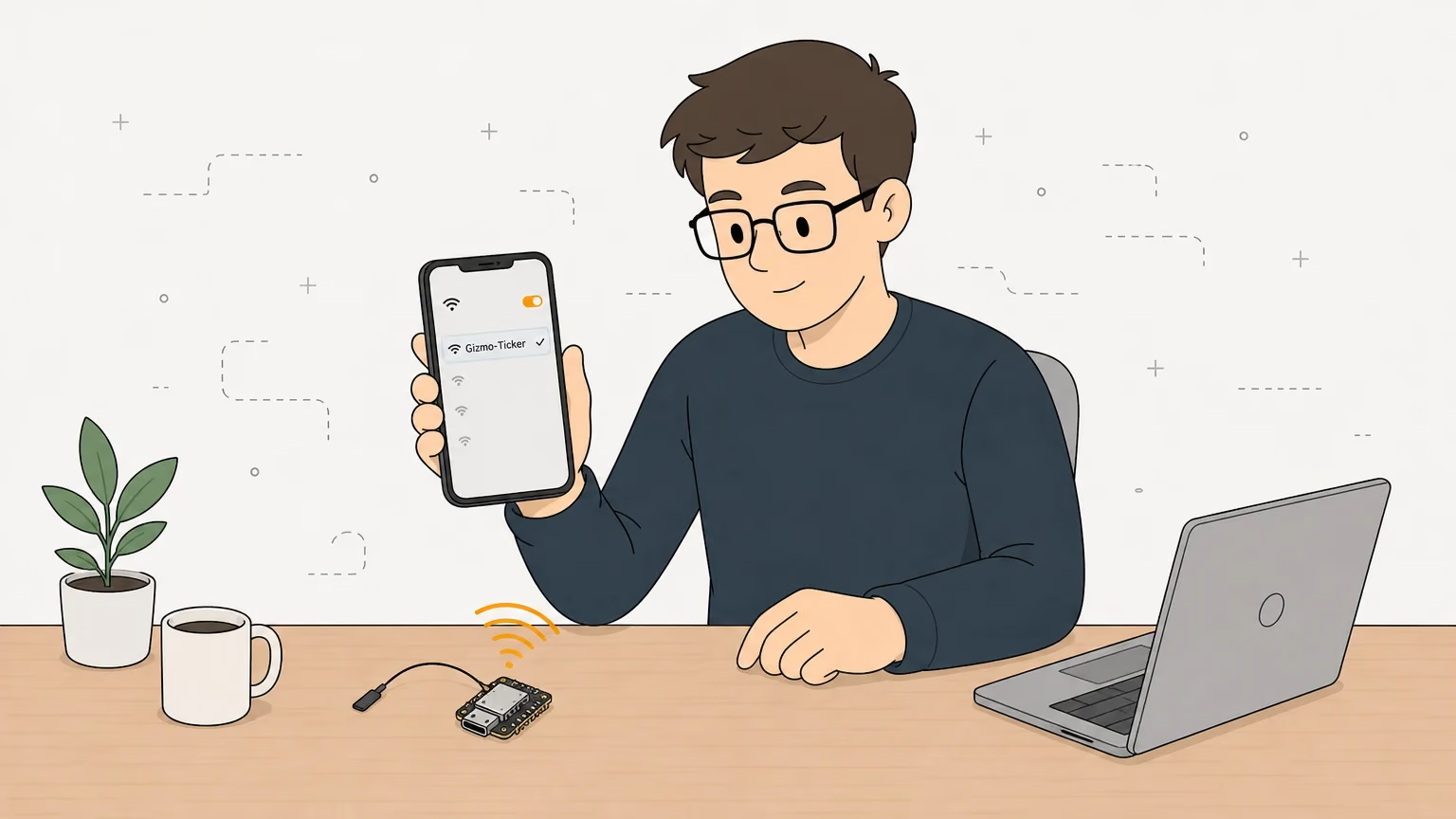
- The web app already exists. Each board serves its own web app, and the setup page
/ap-setupis part of it, so the portal costs no new front end. - No app to publish. Anything with a browser can do the setup, on any phone or laptop.
- Safe retries. Credentials are saved only after they connect, and a hotspot that opens again on failure is the recovery path.
- Reset by hand. The BOOT button, or the web app's Forget network, brings the portal back.
The costs are the ones above: an open hotspot, plain HTTP, and a phone that may not open the popup. I accepted them because the hotspot opens only while the board has no network and the Wi-Fi password is the only thing sent. If I shipped something that handled a secret worth more than a home Wi-Fi password, I would move to Espressif's Security 2 over BLE.
So which one should you use?
Use hard-coded credentials for a throwaway test board. Use a captive portal when anyone with a phone should be able to set up the board and an open hotspot is acceptable. Use Espressif's unified provisioning with Security 1 or 2 when you control the app and want encryption. Use Improv Serial when the board is on USB anyway. ESP-Touch makes sense only if you already ship its app.
The limit of this comparison is that I read the specs and the code, and did not measure setup time, battery use or flash size for any of these. If your captive portal doesn't open on a phone, go to the captive portal fix guide, and if the board is set up but its .local name doesn't resolve, the next problem is mDNS on Android. To see the whole device flow, read the OpenGizmo overview.
Frequently asked questions
Find quick answers to the most common questions about this topic.
Wi-Fi provisioning is the step where an ESP32 learns the name and password of your Wi-Fi network without them being written into its firmware. The user sends the credentials from a phone or computer, and the board saves them in flash and connects. Common methods are a captive portal, Bluetooth LE, Improv and ESP-Touch.

Author
Mauro BrambillaReady to build your own gizmo?
Pick an open-source ESP32 project and follow its step-by-step guide, from the parts list and wiring to the firmware and the first boot.