ESP32 .local Not Working on Android: mDNS Explained
Why an ESP32 .local hostname like gizmo-ticker.local fails on Android or a router, how to find the cause, and how to use the IP address with a reservation.
- Author
 Mauro Brambilla
- Published
- Reading time
- 8 min
- Category
- Troubleshooting
In short
A .local name needs mDNS: a multicast query on UDP 5353 that the phone, the router and the ESP32 must all allow. When it fails, use the board's IP address and reserve it on the router.
An ESP32 .local name fails when the asking device can't send an mDNS query, or never gets an answer to it. mDNS (multicast DNS) asks every device on the Wi-Fi network at once instead of a DNS server. Guest networks, VPNs, mobile data, some routers and Android resolvers without mDNS can all break it. The fallback is the board's IP address.
This guide uses the three OpenGizmo devices as the example, because each one advertises a .local name after it joins your Wi-Fi: gizmo-ticker.local, gizmo-reolink-switch.local and gizmo-camera.local. I read the firmware, the gizmo-common library and the AOSP, Apple, Espressif and RFC sources linked below, and I mark what I could not verify. Short on time? Jump to the checklist, then come back for the why.
What is mDNS and how does gizmo-ticker.local get resolved?
mDNS is defined in RFC 6762. It sends DNS-style messages over IP multicast to UDP port 5353, and treats any name ending in .local. as link-local, meaning it only has a meaning on the network where it was announced. Queries go to 224.0.0.251 (IPv4) or FF02::FB (IPv6). No server is involved: the device that owns the name answers.
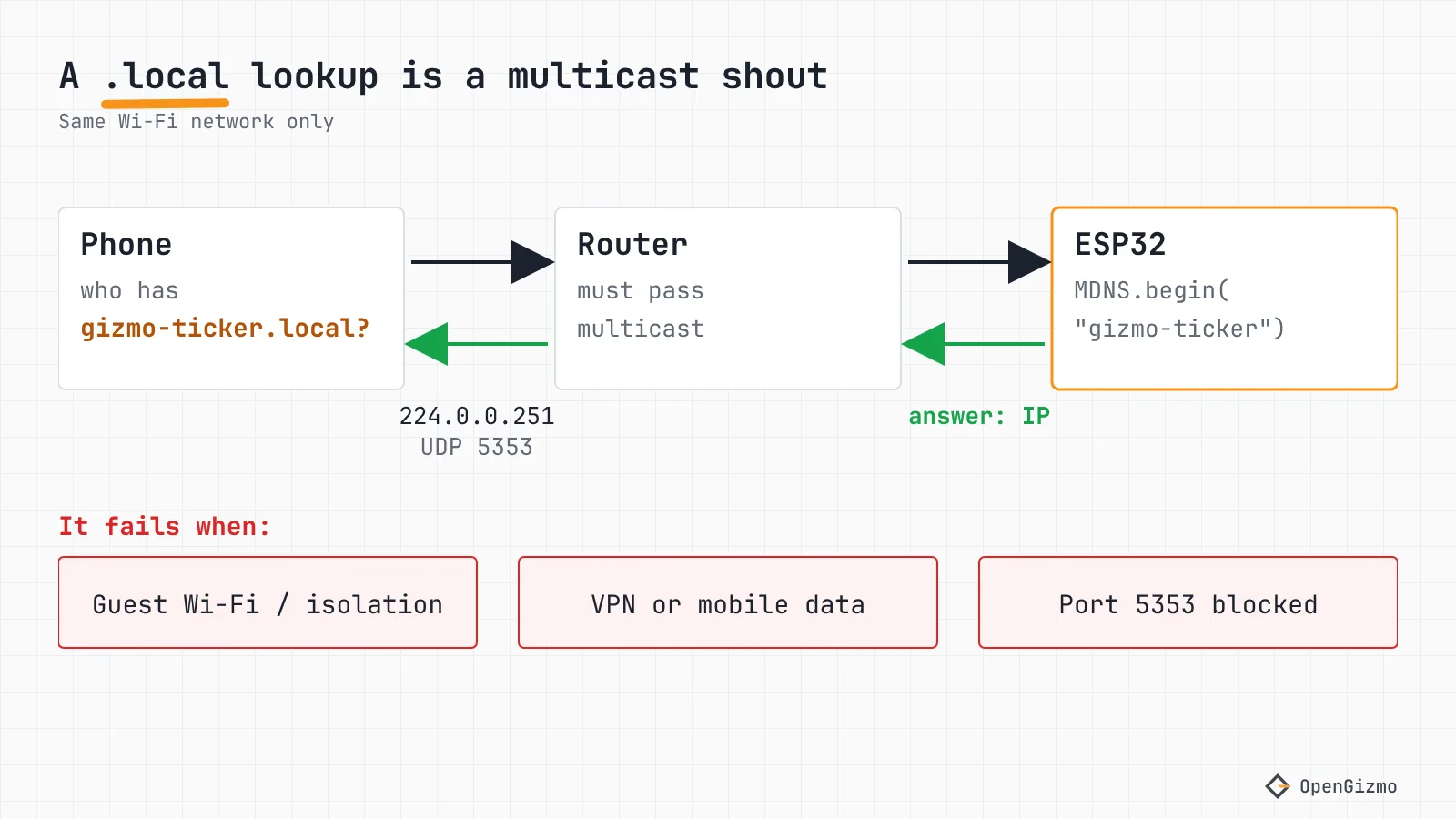
On the ESP32 side the gizmo-common library does three things, all in wifi_setup.cpp (version 2.5.1, pinned by the ticker and the Reolink switch; the camera pins 2.4.0, where I checked the same MDNS.begin and host check):
- It starts mDNS only after the board has joined the Wi-Fi:
startMdns()returns early unlessWiFi.status() == WL_CONNECTED. - It calls
MDNS.begin(hostname)and adds anhttpservice on TCP port 80 withMDNS.addService("http", "tcp", 80). - It stops mDNS again when the connection drops or the setup hotspot opens, and restarts it after the next successful connection.
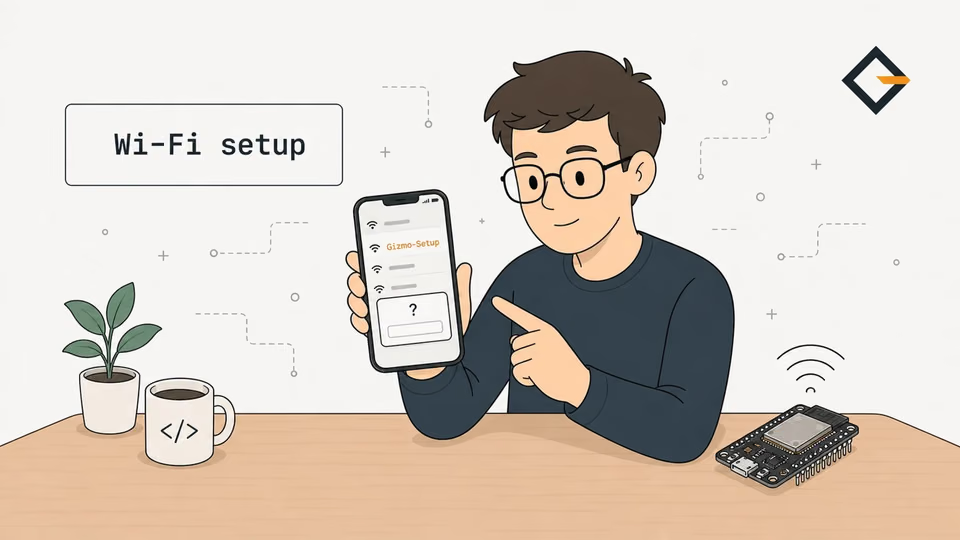
So after a router reboot, the name disappears until the board reconnects. The hostname is always the project name, set in each project's firmware, for example in the ticker's wifi.cpp: "gizmo-ticker". The Gizmo Ticker, the Gizmo Reolink Switch and the Gizmo Camera work the same way. For how the board got on your Wi-Fi in the first place, see ESP32 Captive Portal Not Working? Fix the Wi-Fi Popup.
Why does .local fail on some Android phones?
Support for .local names depends on the client operating system's resolver, not on the ESP32. The ESP32 answers the same way for everyone, so if a Mac resolves the name and a phone doesn't, look at the phone.
| Client | Resolves .local names? | Source and date |
|---|---|---|
| Android | Yes through getaddrinfo(), since November 2021, but not on VPN or mobile data | AOSP DNS Resolver page |
| macOS | Yes, through Bonjour | Apple documentation (2013 page, OS X era) |
| iOS | Not stated on that Apple page | Not verified here |
| Linux with systemd-resolved | Only if mDNS is enabled for the link: MulticastDNS= defaults to false in systemd.network | systemd.network man page |
| Windows 10 and 11 | Not verified here | No primary source found |
For Android, the AOSP DNS Resolver documentation says: "Starting from November 2021, Android resolver supports mDNS .local resolution". It implements the one-shot multicast query of RFC 6762, and apps get it by calling getaddrinfo() with a *.local name. The same page says VPN and mobile data connections are excluded. I confirmed that in the resolver code: res_cache.cpp has an is_mdns_supported_transport_types() function that returns false for cellular and VPN networks, and res_send.cpp sends the mDNS query for names flagged as mDNS.
What the page does not say is which Android versions have it. The code lives in packages/modules/DnsResolver, a module directory, so a phone's resolver version may not match its Android version. I found no primary list of versions, so I won't give one. Advice written before November 2021 may be out of date.
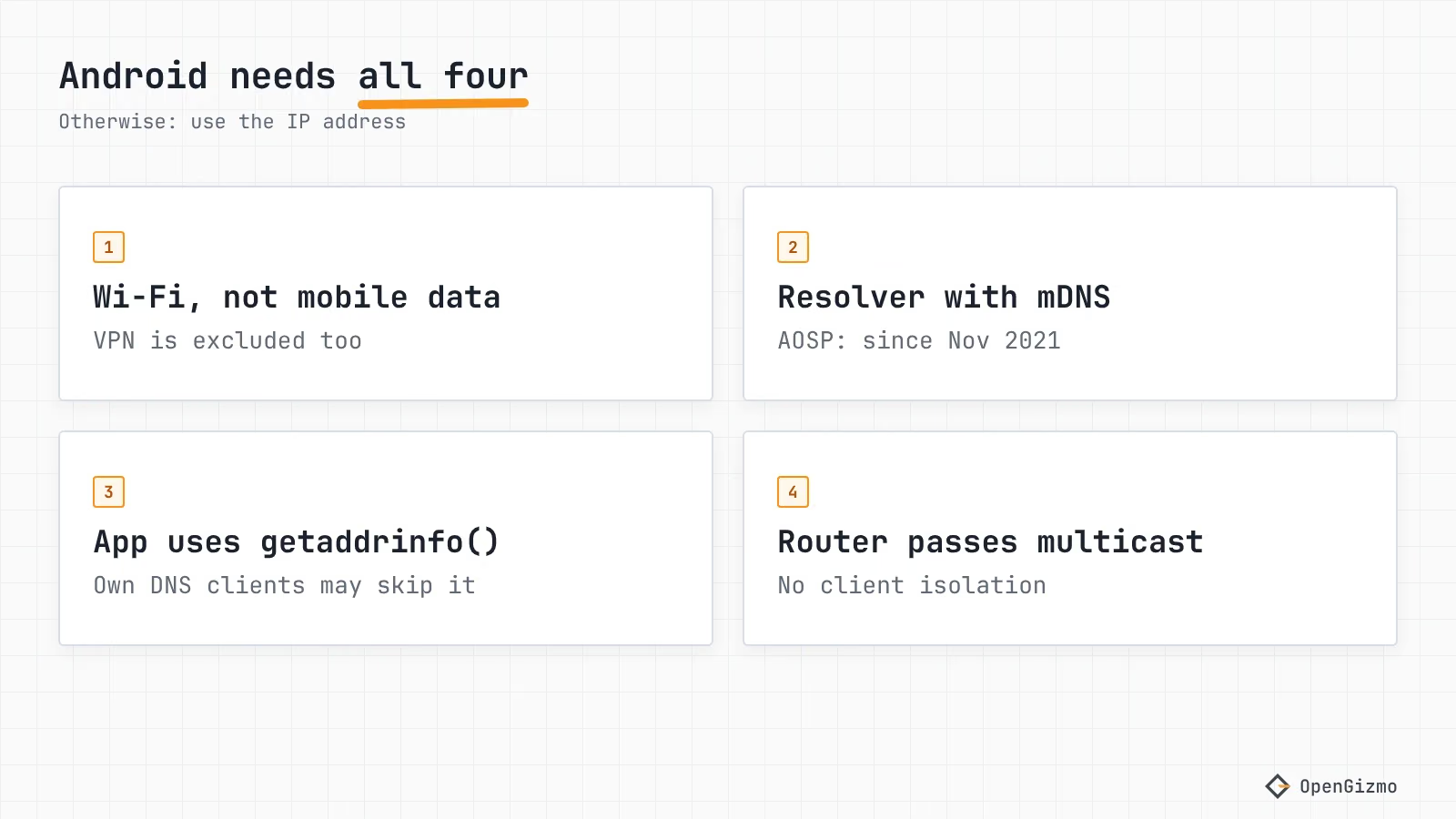
Two more things can still bite on a recent phone:
- The app has to ask the system resolver. A browser or app that does its own DNS lookups, for example with a built-in secure DNS client, never reaches that code. This is my reading of the AOSP page: I did not test it on a phone.
- Apps can find the device without the name. The board registers an
_http._tcpservice, and Android's Network Service Discovery API browses DNS-SD services on the local network. It is for app developers, but an app using it can find the board by service type without resolving the.localname.
You can test a phone with a computer attached over adb: the AOSP page suggests adb shell ping6 HOSTNAME.local, so for the ticker that's adb shell ping6 gizmo-ticker.local. If that answers but the browser doesn't, the browser or its DNS settings are the likely cause.
How do you find the ESP32's IP address?
An IP address needs no name lookup, so it works whenever the phone can reach the board. The OpenGizmo devices accept requests under three names, per the gizmo-common README: the IP address, <hostname>, or <hostname>.local. Anything else gets a host_not_allowed error. This protects the board from DNS rebinding, but it also means a name your router invents, like gizmo-ticker.lan, won't open the web app: use the IP.
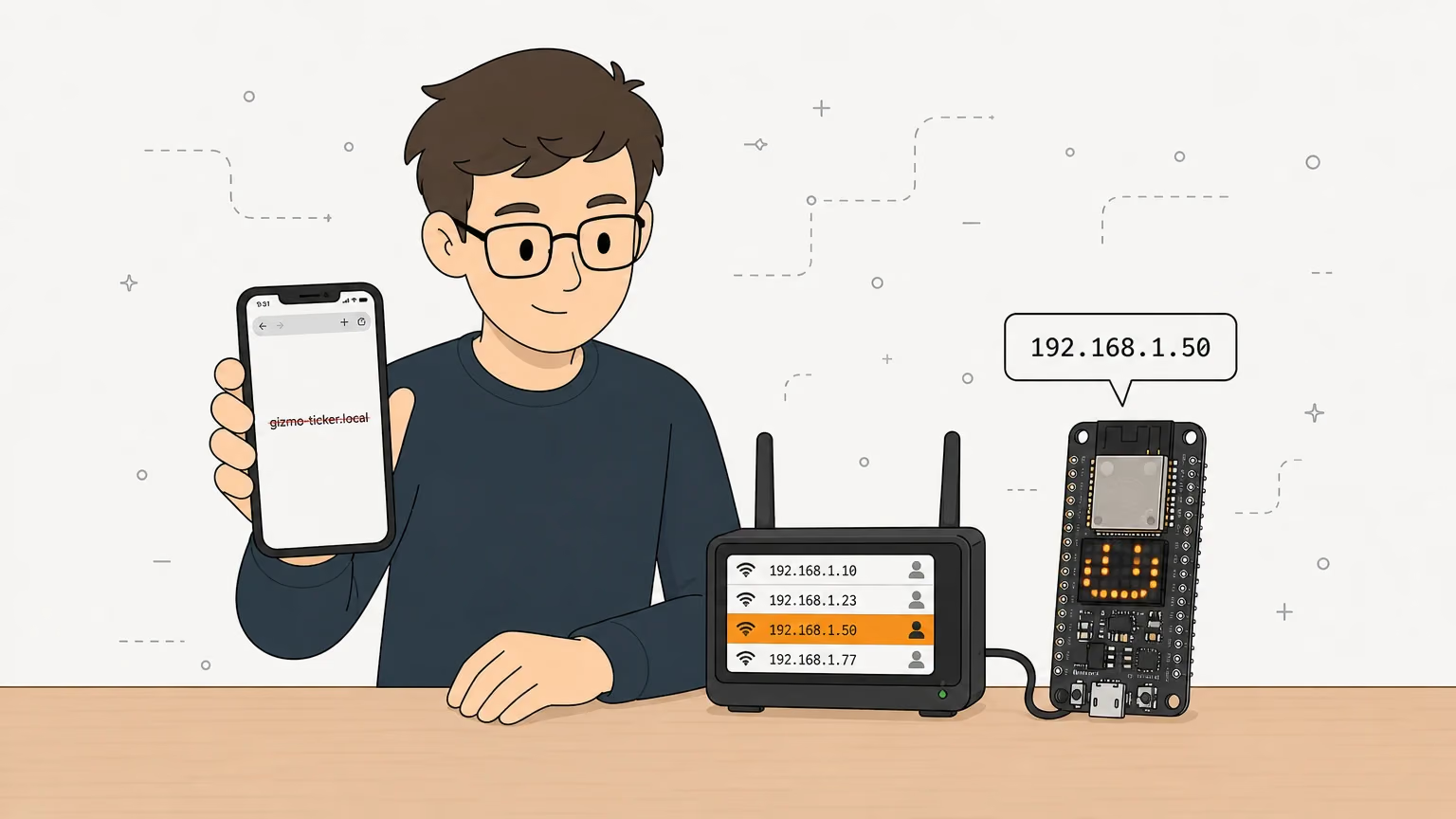
Where to read it, in order of effort:
- The device itself. The Reolink switch's LCD shows its address on the NVR setup screen, per its README, and the dashboard's Device page lists it. The Device page and
GET /api/devicereturnipandhostnameonce connected. The camera page of the Gizmo Camera web app shows the exact address and MCP command. - The serial log. A debug build of the Reolink switch's firmware logs
Connected, open http://gizmo-reolink-switch.local or http://<ip>. I did not check the other two for this line. - Your router's client list. Look for a new device. Without a hostname set in firmware, the DHCP name is a default: Arduino-ESP32's docs say it's "assigned based on the chip type and MAC address". gizmo-common doesn't call
WiFi.setHostname(), as far as I read, so expect that kind of name, notgizmo-ticker.
Then open http://192.168.1.50 with your board's address. If a page opens by IP but not by name, the board and the web app are fine, and the lookup is the culprit.
Which router and network settings block mDNS?
Several things on the network can block mDNS. Change one thing at a time, then test again.
| Cause | What you see | What to check |
|---|---|---|
| Client or AP isolation | Phone and board both online, name fails, IP fails too | Turn off client isolation on the SSID; avoid guest networks |
| Different subnets or VLANs | Name fails; the IP may still work if the router routes between them | Put the phone and board on the same subnet, or use the IP |
| Firewall on the asking computer | Name fails from one computer only | Allow inbound UDP 5353 on that computer |
| VPN or mobile data on the phone | Name fails on the phone only | Turn the VPN off; use Wi-Fi |
The espboards.dev troubleshooting page lists router blocking, a firewall on UDP 5353, and isolated hotspots or guest networks among the causes, plus calling MDNS.begin() only after Wi-Fi is up. It is a troubleshooting list, not a specification, so I use it as a checklist, and I verified the MDNS.begin() ordering in gizmo-common myself. The ESP32 itself needs no router setting.
How the test tells you what's wrong:
- IP fails too: the network blocks traffic between clients (isolation) or the router doesn't route between the two networks. Fix that first: it is not an mDNS problem.
- IP works, name fails on every device: the board's mDNS responder isn't running, or the devices are on different subnets. Check that the board is connected, and look for
Failed to start mDNSin a debug build's log. - IP works, name works on a laptop but not on the phone: it's the phone, as in the section above.
How do you give the ESP32 a fixed address?
A DHCP reservation tells the router to always hand the same address to the same MAC address, so the board still uses DHCP and you don't touch the firmware. That is my pick for the OpenGizmo devices, because gizmo-common takes its address from the router, and the firmware doesn't call WiFi.config() for a static one.
- Find the board's MAC address in the router's client list, next to the current IP.
- Open the router's DHCP or LAN section and look for "address reservation", "static lease" or "bind IP to MAC". The names vary between routers.
- Pick an address in the LAN range, outside the DHCP pool if the router wants one, and save.
- Restart the board and check that the client list now shows the reserved address.
A static IP in firmware is the other option. Arduino-ESP32's WiFi API docs describe WiFi.config() for setting the local IP, gateway, subnet and DNS servers before begin. You then own the job of avoiding clashes with the router's pool. A reservation is safer for a household.
If you ever run two of the same OpenGizmo device on one network, they will both try to claim the same .local name. RFC 6762 section 9 says the loser must stop using the name and pick a new one. The Espressif mDNS docs I read don't describe how the ESP32 component handles it, and I haven't tested it, so reach each by its own IP.
How do you set the hostname in Arduino code?
Two different names exist, and people mix them up. The mDNS name is what MDNS.begin() sets. The DHCP name, set with WiFi.setHostname(), is how the board shows up in the router's list. The Arduino-ESP32 docs say setHostname() "must be called BEFORE Wi-Fi is started", while mDNS is started after the connection. This is a minimal sketch, built from those docs and the gizmo-common logic, not compiled for this post:
#include <WiFi.h>
#include <ESPmDNS.h>

void setup() {
    WiFi.setHostname("gizmo-ticker"); // DHCP name in the router's list, before WiFi.begin()
    WiFi.begin("my-ssid", "my-password");
    while (WiFi.status() != WL_CONNECTED) {
        delay(250);
    }

    // Only after the connection is up
    if (MDNS.begin("gizmo-ticker")) {
        MDNS.addService("http", "tcp", 80);
    }
}

void loop() {}Reach it at http://gizmo-ticker.local. ESPmDNS doesn't validate the name, so keep it to lowercase letters, digits and hyphens, as the OpenGizmo hostnames do. For a finished example with reconnects, read startMdns() in gizmo-common, or the Reolink Switch build that uses it.
Checklist: the .local name doesn't open
- Are the phone and the board on the same Wi-Fi network, and is the phone on Wi-Fi rather than mobile data, with the VPN off?
- Does the board's IP address open the web app? If not, fix client isolation or the subnet first.
- Does the name work from a laptop on the same network? If yes, the board is fine and the phone's resolver or app is the cause.
- On a phone with
adb: doesadb shell ping6 gizmo-ticker.localanswer? - Did the board reconnect after a router reboot? mDNS only runs while it's connected.
- Is another device claiming the same name?
- Still stuck? Use the IP, and reserve it on the router so the address stops moving.
For the camera, the same rule applies to scripts: the snapshot URL guide and the MCP server guide both work with the IP in place of gizmo-camera.local.
What was verified, and the limits
I read the mDNS start and stop logic and the host check in gizmo-common 2.5.1, the hostnames in the three firmwares, and Android's resolver code and documentation, as of November 2026. I did not run any of it on a phone, router or board for this post: the adb command, the router steps and the sketch are derived from the sources, not measured. Windows support is not verified, the Android versions with mDNS are not listed by any source I found, and routers vary a lot in what they call their settings.
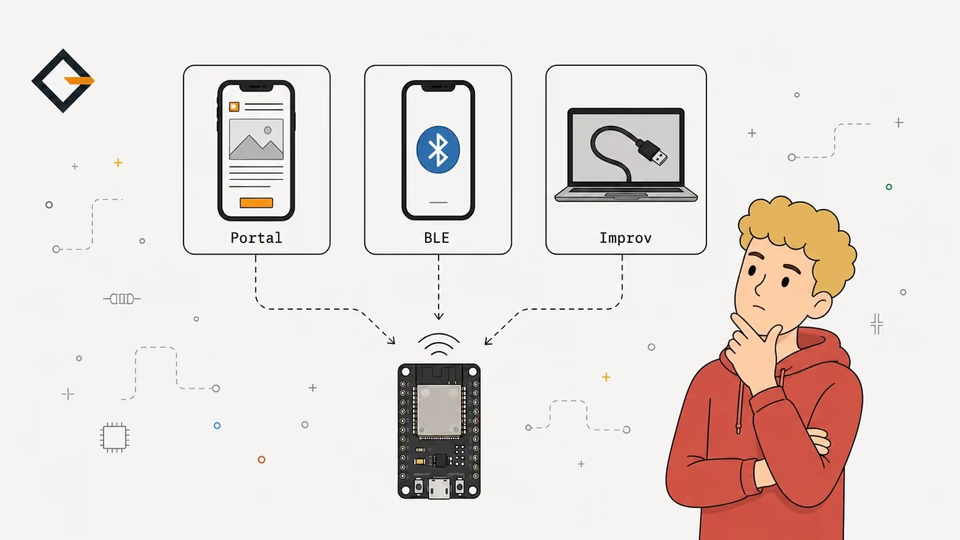
If the name still fails after the checklist, the IP and a reservation are not a defeat: they are what a household network wants. For how the board got its Wi-Fi in the first place, compare the options in ESP32 Wi-Fi Provisioning: Captive Portal, BLE, Improv, and for the whole system, see what OpenGizmo is.
Frequently asked questions
Find quick answers to the most common questions about this topic.
A .local name only resolves if the phone sends an mDNS multicast query and the router passes it on. Android's resolver supports this since November 2021 per AOSP, but not on VPN or mobile data connections, and a router with client isolation blocks it. The reliable fix is to open the ESP32's IP address.

Author
Mauro BrambillaReady to build your own gizmo?
Pick an open-source ESP32 project and follow its step-by-step guide, from the parts list and wiring to the firmware and the first boot.