ESP32-CAM Snapshot URL: One HTTP Request, One JPEG
Get an ESP32-CAM snapshot with one GET request: the /api/capture URL, resolution and quality options, the busy answer, curl and Home Assistant examples.
- Author
 Mauro Brambilla
- Published
- Reading time
- 8 min
- Category
- Builds
In short
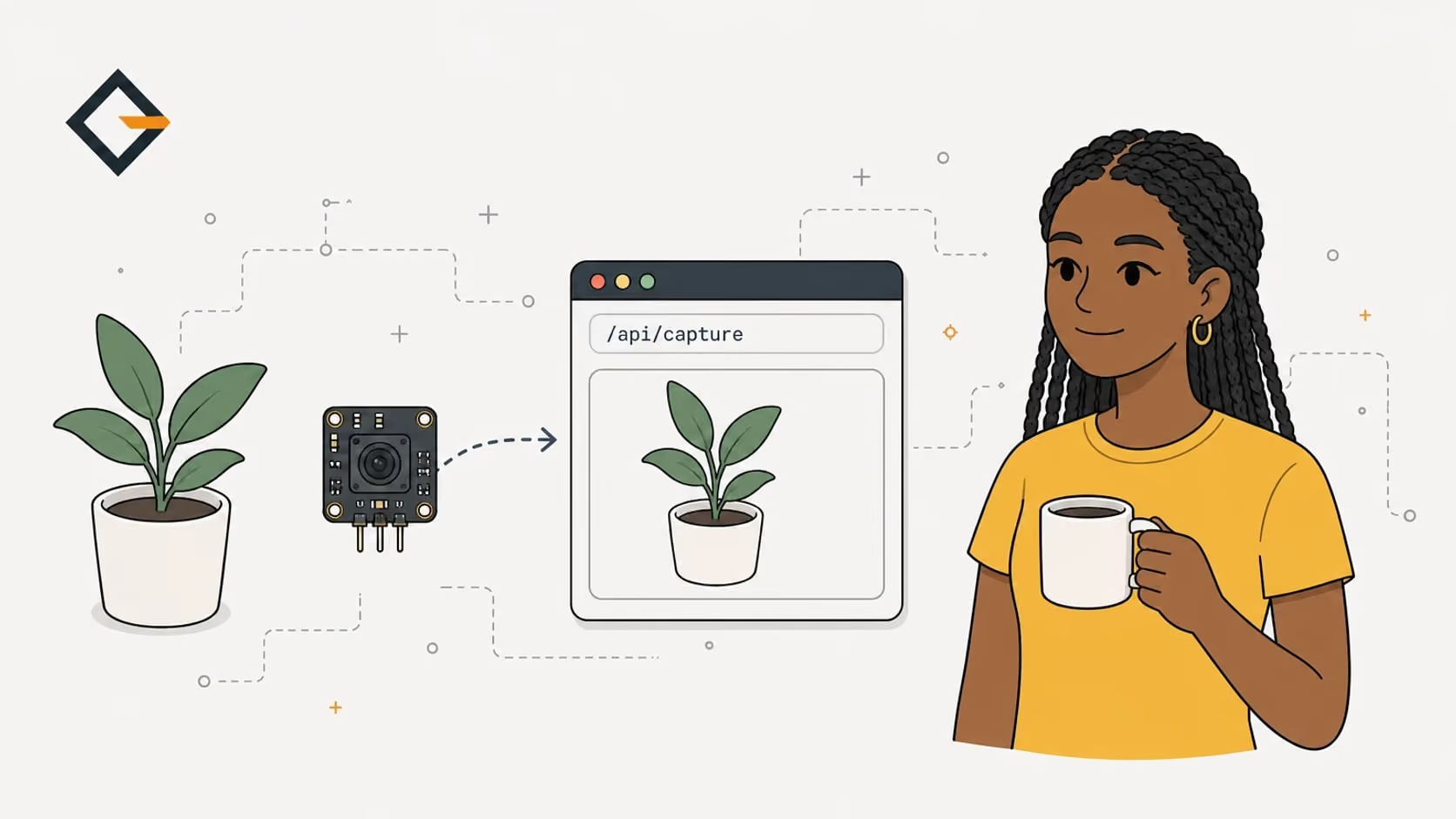
An ESP32-CAM snapshot is one GET request that returns one JPEG. Gizmo Camera answers /api/capture?resolution=SVGA, takes one photo at a time and replies 503 camera_busy to a second request. No login.
An ESP32-CAM snapshot is a single HTTP GET request that returns a single JPEG. With the Gizmo Camera firmware the URL is http://gizmo-camera.local/api/capture?resolution=SVGA: the ESP32-CAM takes a fresh photo, sends it, and closes the connection. The same request works from a browser, curl, a script or Home Assistant.
Do you need a photo from an ESP32-CAM in a script and not a video page you have to keep open? This post walks through the real endpoints of Gizmo Camera, copy-paste curl commands, the resolution and quality options, and what the camera answers when two clients ask at once. Everything comes from the firmware source in the gizmo-camera repository, the stock Arduino CameraWebServer example it is compared with, and the esp32-camera driver documentation. I have not benchmarked anything, so there are no speed numbers here.
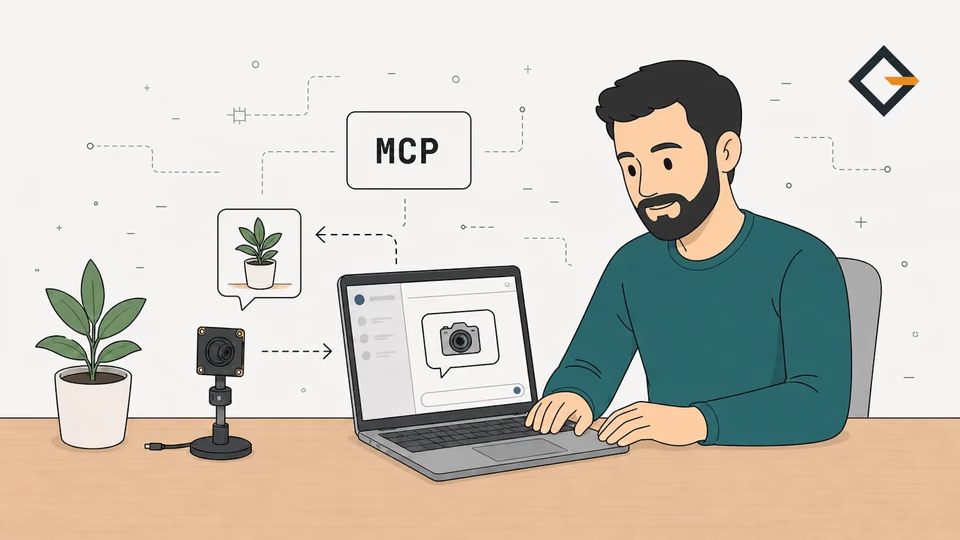
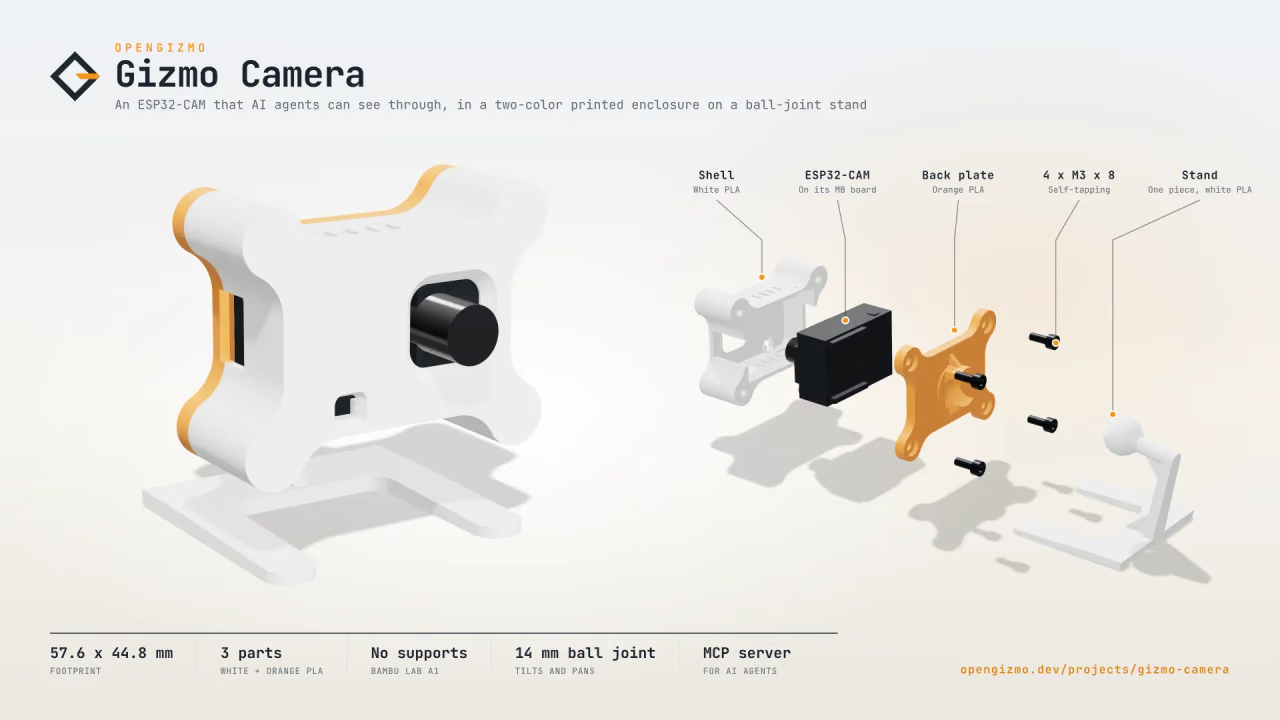
An ESP32-CAM Wi-Fi camera that takes a JPEG snapshot on every request, with a web app to set it up from your phone and an MCP server for AI agents.
- JPEG snapshots up to 1600 × 1200
- Simple HTTP API
- MCP server for AI agents
What is the difference between a snapshot and a stream?
A snapshot is one request and one image: the client asks, the camera captures a frame, and the connection ends. A stream is a connection that stays open while the camera keeps sending frames. In the stock CameraWebServer example, /capture is the snapshot (its handler reads no query parameters, so there are no options to add to the URL), and /stream is a multipart/x-mixed-replace response that loops until the client goes away, served by a second HTTP server one port above the first.
That makes the two answers different tools. The table compares what each is good for, using the CameraWebServer source and the Gizmo Camera source.
| Snapshot (/capture, /api/capture) | MJPEG stream (/stream) | |
|---|---|---|
| Connection | Closed after one JPEG | Open until the client leaves |
| Client code | One GET, any HTTP library | A client that parses multipart parts |
| Camera work | Only when someone asks | A loop that never stops while viewed |
| Best for | Scripts, cron jobs, Home Assistant, agents | Watching live in a browser |
| In Gizmo Camera | Yes: /api/capture | No: not offered |
Gizmo Camera has no stream on purpose: its README describes a camera that "answers every request with a fresh photo". If you do want live video, the CameraWebServer example is the simpler starting point, and the rest of this post is about the snapshot route.
How do you get one JPEG with curl?
You need a camera running the Gizmo Camera firmware on the same network as your computer. If you are still at the flashing stage, the ESP32-CAM-MB guide covers it. Then one command is enough:
curl -o photo.jpg "http://gizmo-camera.local/api/capture?resolution=SVGA"That is the command from the project's README. Open photo.jpg: you should see what the camera sees, at 800 x 600. If gizmo-camera.local does not resolve on your computer, use the camera's IP address instead, which is shown in your router and on the camera page of the web app. The reasons are in the .local hostname guide.
Before celebrating, look at the headers too. Add -D - to print them (the -D option writes the received headers to a file, and - means standard output):
curl -sS -D - -o /dev/null "http://gizmo-camera.local/api/capture?resolution=SVGA"The reply should be similar to this, with your own capture time:
HTTP/1.1 200 OK
Content-Type: image/jpeg
Content-Disposition: inline; filename=snapshot.jpg
Cache-Control: no-store
X-Resolution: 800x600
X-Capture-Time-Ms: <milliseconds>These come straight from capture.get.cpp: X-Resolution is the real size of the frame the sensor returned, X-Capture-Time-Ms is how long the capture took on the camera (not the transfer), and Cache-Control: no-store tells proxies that every request is a new photo.
Which options does /api/capture take?
Three query parameters, all optional, which you can combine. The firmware reads them in capture_options.cpp.
| Parameter | Values | Default |
|---|---|---|
| resolution | A name from the table below, any letter case | Largest the sensor takes (UXGA on the OV2640) |
| quality | A whole number from 4 to 63, lower is sharper and bigger | 10 |
| flash | 1, true, 0 or false | Off |
A full example is /api/capture?resolution=XGA&quality=12&flash=1. A bad value is refused with HTTP 400 and a JSON error, and no photo is taken: invalid_resolution, resolution_not_supported (a size bigger than the sensor takes), invalid_quality or invalid_flash. The body looks like { "errorId": "invalid_quality", "errorMessage": "...", "data": null }, the same shape every OpenGizmo device uses. To see what a particular camera supports, ask GET /api/camera: it returns the sensor name, the list of resolutions with their sizes, the quality range and hasFlash.
How do you choose the resolution and JPEG quality?
The sizes are the framesize_t values of the esp32-camera driver, which the firmware maps to names in capture_options.h and camera.cpp. The README lists these nine for the OV2640; the firmware knows larger ones for bigger sensors such as the OV3660 and OV5640, and cuts the list at what the connected sensor reports.
| Name in the URL | Driver constant | Size (px) |
|---|---|---|
| QQVGA | FRAMESIZE_QQVGA | 160 x 120 |
| QVGA | FRAMESIZE_QVGA | 320 x 240 |
| CIF | FRAMESIZE_CIF | 400 x 296 |
| VGA | FRAMESIZE_VGA | 640 x 480 |
| SVGA | FRAMESIZE_SVGA | 800 x 600 |
| XGA | FRAMESIZE_XGA | 1024 x 768 |
| HD | FRAMESIZE_HD | 1280 x 720 |
| SXGA | FRAMESIZE_SXGA | 1280 x 1024 |
| UXGA | FRAMESIZE_UXGA | 1600 x 1200 |
How to pick? Start at SVGA: it is what Gizmo Camera's own agent guide recommends for understanding a scene, and the MCP server defaults to it. Go to UXGA only when you need small details, because the README warns that a 1600 x 1200 JPEG is a few hundred KB over Wi-Fi. Go down to VGA or QVGA for a status thumbnail.
JPEG quality works the opposite way from what many people expect. The esp32-camera README says the range is 0 to 63 for OV sensors and "lower number means higher quality". Gizmo Camera accepts 4 to 63, and a comment in capture_options.h explains the floor: below 4 the frame buffer can overflow at the highest resolution. The file size also depends on the scene, so I give no figures: change quality and compare Content-Length yourself.
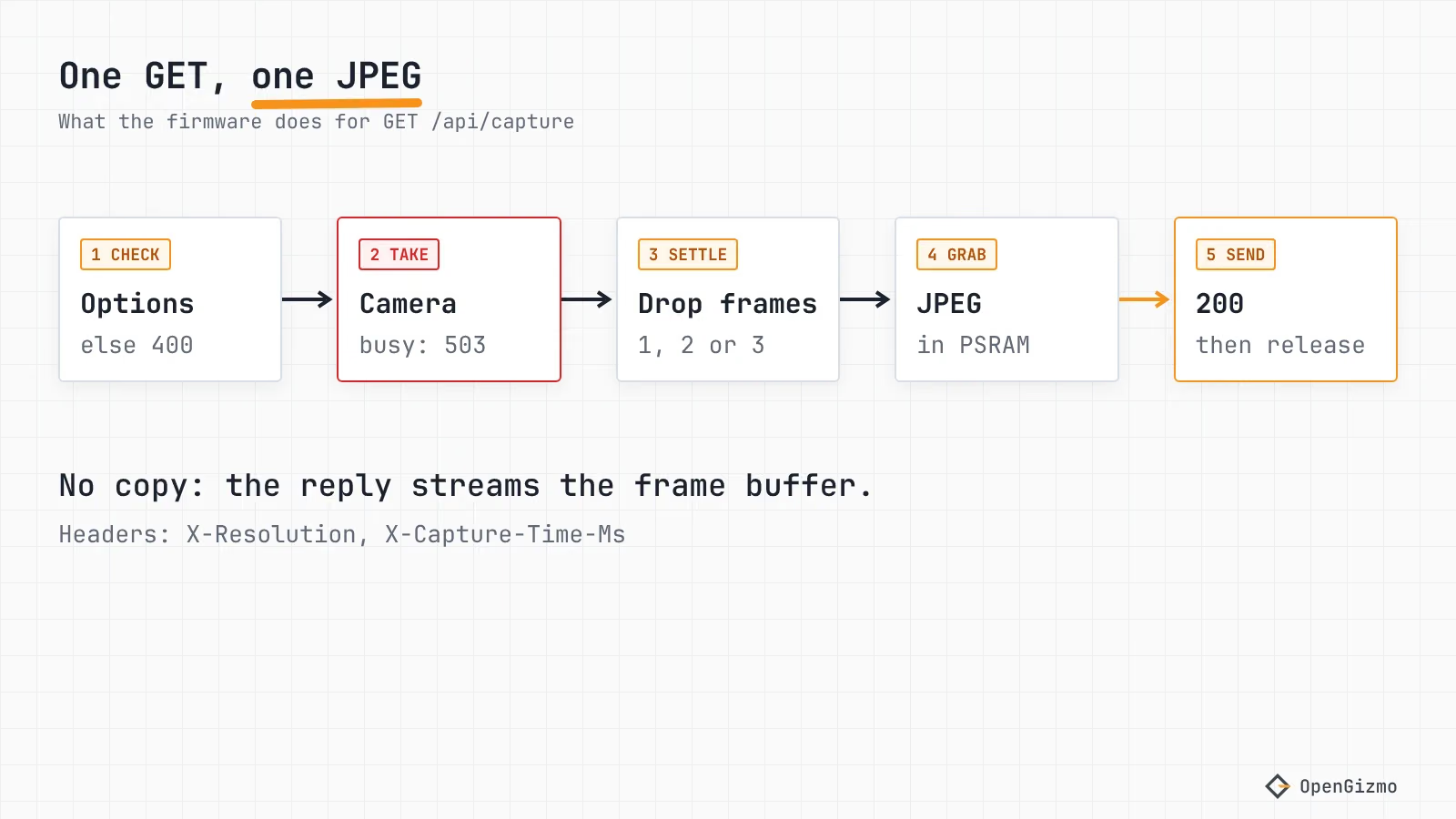
Two details of how the camera applies your options are worth knowing. After a change of resolution or quality, the firmware throws away three frames before the one it sends, because the first frames after a settings change can be corrupted or use the old settings. For an unchanged request it throws away one stale frame, so you get a photo taken after your request, not one waiting in the buffer. With flash=1 it throws away at least two. The LED on GPIO4 is switched on for 150 ms before the frame and off again right after. That 150 ms is the same delay the CameraWebServer example uses, and the flash is a current spike: if the board resets when it fires, read the brownout guide.
Why does a snapshot suit a small board better than a stream?
For a small board, the difference is how long you hold the camera and the connection. The Gizmo Camera firmware starts the sensor with one frame buffer (fb_count = 1) in PSRAM and CAMERA_GRAB_WHEN_EMPTY, and it streams the JPEG to the client straight from that buffer, without copying it. The CameraWebServer example, when PSRAM is found, uses two buffers and CAMERA_GRAB_LATEST. The esp32-camera README says that more than one buffer in JPEG mode keeps the driver capturing continuously, which costs CPU and memory in exchange for a higher frame rate: a fit for a stream, more than a snapshot needs.
I did not measure memory use or frame times, so treat this as design reasoning from the source, not a benchmark. What the code does show is simple: between requests, a snapshot camera is idle. There is no loop that grabs frames for a viewer who may have left, and no second server port for the stream. A script that wants one photo an hour costs the camera one capture an hour.
What happens when two clients ask at once?
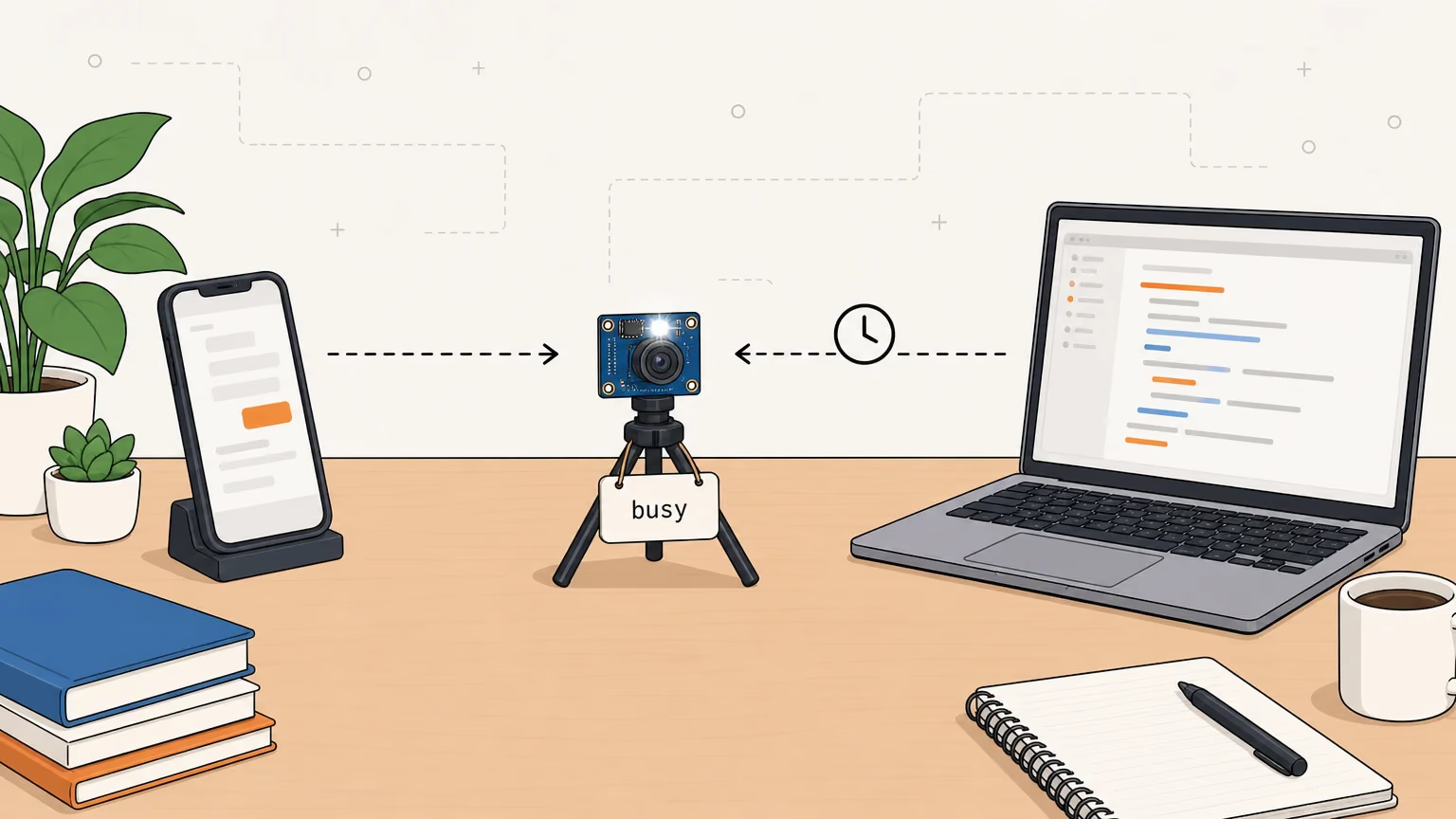
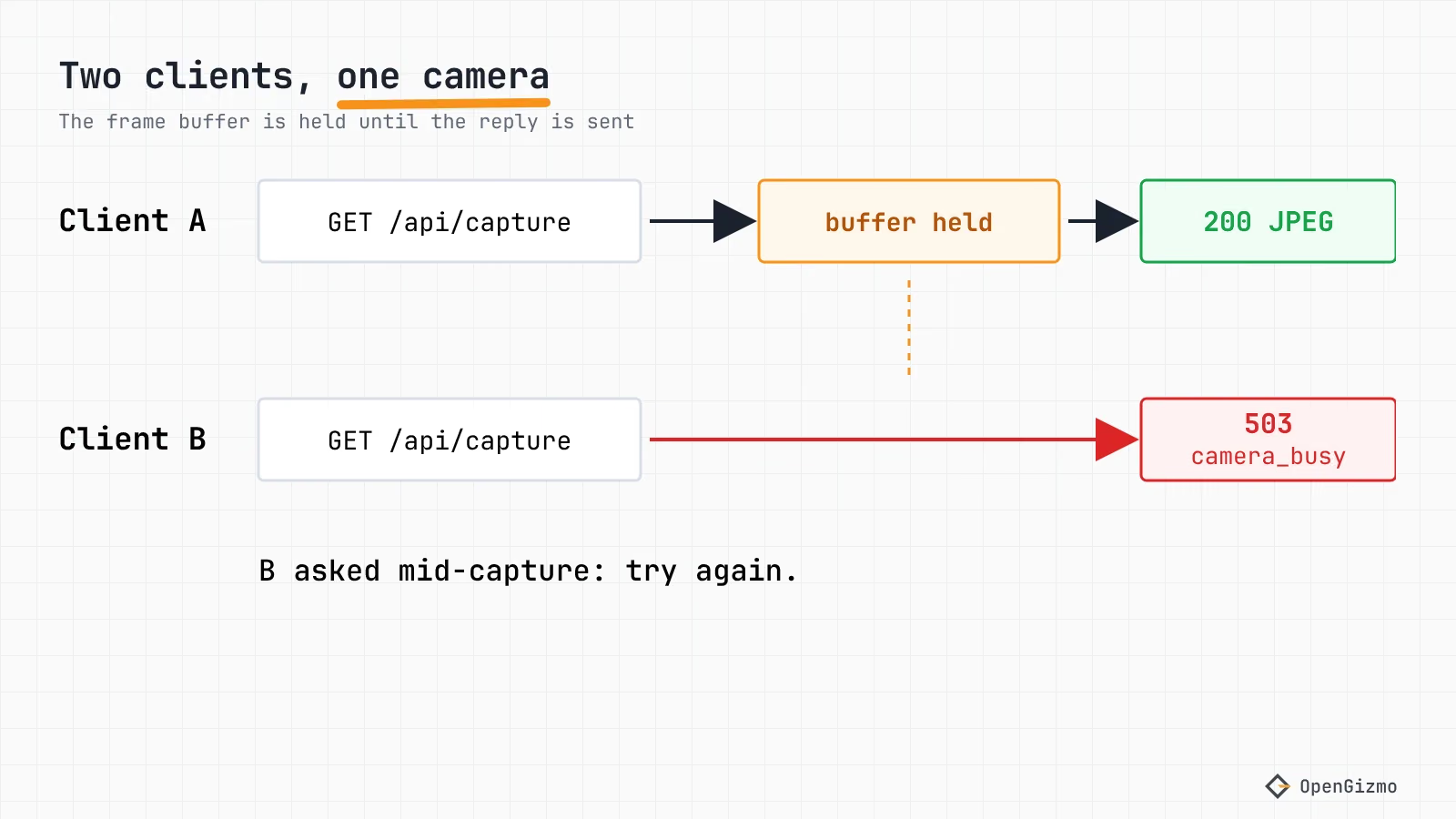
The camera answers the second one with an error. Gizmo Camera holds the frame buffer from the moment a snapshot is taken until its response has been sent, or the client has gone, and only one snapshot can be held at a time. A request that arrives meanwhile gets HTTP 503 with this body:
{
  "errorId": "camera_busy",
  "errorMessage": "The camera is taking another snapshot",
  "data": null
}
The other failures are also JSON: camera_unavailable (503) when the sensor did not start, which in practice usually means the ribbon cable, and capture_failed (500) when the sensor gave no frame. The firmware keeps running without a camera so the web app can say what is wrong.
Treat camera_busy as "try again in a moment", not as a fault. curl can do that for you: its documentation lists HTTP 503 among the transient errors that --retry repeats, with an exponentially growing wait.
curl --retry 3 -fsS -o photo.jpg "http://gizmo-camera.local/api/capture?resolution=SVGA"The -f makes curl fail on any error status instead of saving the JSON error as photo.jpg. One caution: retrying means a new photo each time, and with flash=1 the LED fires again. The web app does the opposite on purpose: its useDeviceApi.js sets retry: 0 for snapshots.
How do scripts and Home Assistant fetch the image?
Any HTTP client works, because it is a plain GET. For a time-lapse, a loop with curl and a timestamp in the file name is enough, and a cron entry does the same on a schedule. Keep one client per camera, or add the retry above, so two jobs do not collide. A minute-by-minute time-lapse is a short shell loop:
while true; do curl -fsS -o "shot-$(date +%s).jpg" "http://gizmo-camera.local/api/capture?resolution=SVGA"; sleep 60; doneStop it with Ctrl+C. Each file is named with the Unix time of the shot.
For Home Assistant, the Generic Camera integration has a Still Image URL field, described as the URL your camera serves the image on. Put the snapshot URL there:
http://192.168.1.50/api/capture?resolution=SVGAThe IP address is an example: use your camera's own. An IP is the safer choice here, because a Home Assistant host does not always resolve .local names. I have not tested this on a Home Assistant install, and the integration's polling behavior is not something I verified, so check how often it fetches before you point it at a camera that is also open in the web app: a second request during a capture is a camera_busy.
Is the snapshot URL safe to leave open?
No authentication protects it. The camera has no login, so anyone who can reach it on your network can take a photo. The firmware adds two checks from the shared gizmo-common library: browsers on other websites are refused (the Origin check), and requests must use the camera's own name or address as the host, which guards against DNS rebinding. Direct requests from curl or a script, under the camera's name or IP, work. Those checks are not a login.
Keep it on a network you trust and never forward its port on your router. The MCP post covers the same limit for AI agents. The CameraWebServer example is similar in spirit: its /capture and /stream answer with Access-Control-Allow-Origin: *, so any web page can read them.
What to remember
One GET /api/capture returns one JPEG, taken after your request, at the resolution and quality you name: ?resolution=SVGA&quality=10 is a good place to start, and the response headers tell you the real size and capture time. The camera takes one snapshot at a time, so a second request gets 503 camera_busy and should simply retry. Flash is flash=1.
The limits: the endpoint has no authentication, I did not benchmark capture times or file sizes, and the Home Assistant steps are untested here. If a board resets when you request flash photos, the power path is the first suspect. For the pins the camera uses, see which ESP32-CAM GPIO pins are really free, and for the family of projects, What is OpenGizmo?
Frequently asked questions
Find quick answers to the most common questions about this topic.
It depends on the firmware. The stock Arduino CameraWebServer example serves a snapshot at /capture. Gizmo Camera serves it at /api/capture, for example http://gizmo-camera.local/api/capture?resolution=SVGA, and returns a JPEG. Open the URL in a browser or fetch it with curl.

Author
Mauro BrambillaReady to build your own gizmo?
Pick an open-source ESP32 project and follow its step-by-step guide, from the parts list and wiring to the firmware and the first boot.