MAX7219 vs HUB75 LED Matrix for ESP32: Which to Pick
MAX7219 vs HUB75 LED matrix on an ESP32: pins, power, colors, libraries and cost compared, plus why the Gizmo Ticker uses a MAX7219 matrix.
- Author
 Mauro Brambilla
- Published
- Reading time
- 7 min
- Category
- Comparisons
In short
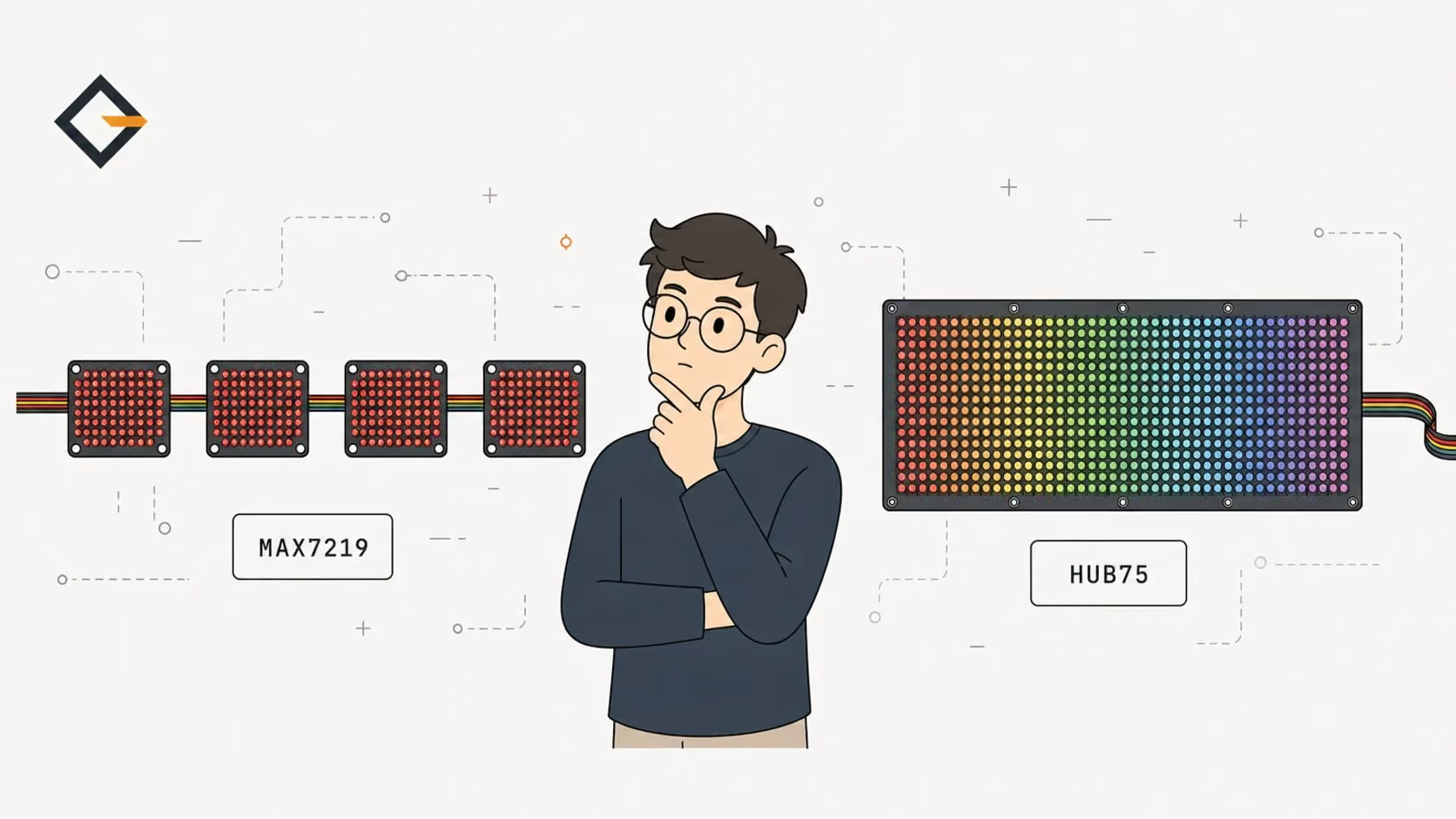
A MAX7219 matrix needs 3 signal pins and 5 V, is one color and refreshes itself. A HUB75 panel needs 13 to 14 pins, is full color and keeps the ESP32 busy. Pick MAX7219 for scrolling text.
A MAX7219 matrix and a HUB75 panel are both LED matrices an ESP32 can drive, but they are built for different jobs. A MAX7219 module is a single-color 8x8 block that needs three signal wires and refreshes itself. A HUB75 panel is a full-color RGB panel that needs 13 to 14 signal pins and keeps the ESP32 redrawing it nonstop.
I run a MAX7219 matrix in the Gizmo Ticker, so the pins and library versions below come from its firmware. The part facts come from the MAX7219 datasheet, the ESP32-HUB75-MatrixPanel-DMA README and Adafruit's product pages, all linked where I use them. I have not built a HUB75 display, so everything about it comes from those sources and I say so where it matters.
What is the difference between a MAX7219 and a HUB75 panel?
A MAX7219 is a driver chip, not a display. According to its datasheet, it has the multiplex scan circuitry on the chip, an 8x8 static RAM, and drives 64 individual LEDs from a serial interface of up to 10 MHz. The common 4-in-1 FC16 board puts four of them in a row with four red 8x8 matrices, so you get a 32x8 single-color display. The MAX7219 FC16 wiring guide covers that board in detail.
A HUB75 panel is the opposite design. The name is the connector standard for bare RGB panels, and Adafruit's guide says these panels do not have built-in PWM control of any kind: you redraw the screen over and over to PWM the whole thing yourself. PWM, pulse-width modulation, is how brightness and color shades are made by switching LEDs on and off very fast. On a HUB75 panel the controller does that work, not the panel.
That one difference explains most of what follows. With a MAX7219 the chip holds the picture. With HUB75 the ESP32 is the picture.
How do the two compare on eight criteria?
| Criterion | MAX7219 (4-in-1 FC16) | HUB75 (for example 64x32, 4 mm pitch) |
|---|---|---|
| Colors | One (red on the usual board) | Full RGB, up to 24-bit depending on size and refresh rate |
| Resolution | 32x8 per board, chainable | 2048 RGB pixels on a 64x32 panel |
| Signal pins | 3 (DIN, CS, CLK) | 13 to 14 |
| Supply | 5 V, 4.0 to 5.5 V operating range | 5 V, about 4 A maximum on a 64x32 panel |
| Who refreshes the LEDs | The MAX7219 chips | The ESP32, continuously, with DMA |
| Brightness steps | 16 (setIntensity 0 to 15) | 256 (0 to 255, default 128) |
| Libraries | MD_Parola and MD_MAX72XX | ESP32-HUB75-MatrixPanel-DMA |
| Chips supported | Any ESP32 with SPI pins free | ESP32, ESP32-S2, ESP32-S3; not ESP32-C3 |
Sources for the table: the MAX7219 datasheet for the 4.0 to 5.5 V range and the 16 brightness steps, the library README for color depth, brightness, pins and chip support, and Adafruit's 64x32 panel page for size and current. The next sections take the criteria that decide most projects one at a time.
How many wires and how much power does each need?
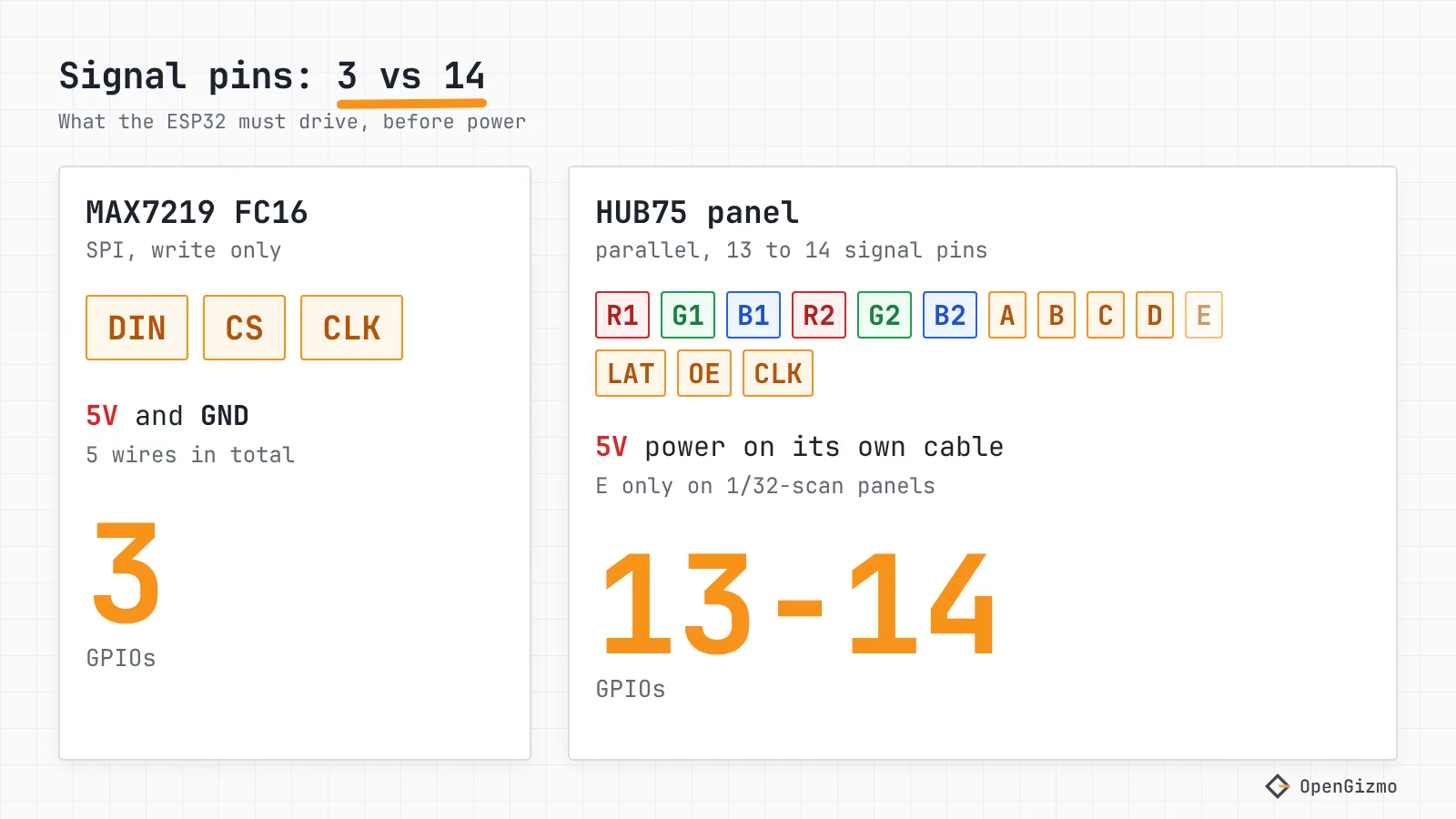
A MAX7219 FC16 board needs five wires: 5 V, GND, DIN, CS and CLK. The Gizmo Ticker connects them to pads D10, D9 and D8 of the XIAO ESP32-S3 (GPIO9, GPIO8 and GPIO7), as defined in config.h. That leaves most of the board's pads free.
A HUB75 panel needs 14 signal pins according to the library README: R1, G1, B1, R2, G2, B2 (the color data for the top and bottom halves), A, B, C, D, E (the row address), LAT, OE and CLK. E is required only for 1/32-scan panels such as 64x64, so a common 64x32 panel uses 13. Adafruit counts a little differently, saying its panels require 12 or 13 digital pins, and lists its 64x32 panel at 13. Either way, the count matters on small boards. The XIAO ESP32-S3 has 11 GPIO pads, as the pinout guide maps, so even though the chip is supported by the HUB75 library, the board's header cannot carry the signals.
Power is the bigger gap. Adafruit rates its 64x32 4 mm panel at up to about 4 A at 5 V with all LEDs on, and its 16x32 6 mm panel at 2.5 A max. For the MAX7219, the datasheet gives an operating supply current of 330 mA at most per chip, with every segment on at 40 mA (measured with the datasheet's 9.53 kΩ RSET, so boards with another resistor will differ). A four-chip FC16 board therefore has a paper ceiling of about 1.3 A, and a 64x32 HUB75 panel is rated three times higher. These are worst cases with every LED on. I have no measured current for either part, and the real draw depends on brightness and what you show.
The library adds a supply rule: a stable power supply is critical, and it recommends a 1000 µF to 2000 µF capacitor across VCC and GND on the back of each panel. It also notes that the ESP32 outputs 3.3 V logic and some panels need 5 V logic, so you may need level shifters when the inputs do not reliably recognize 3.3 V. The ESP32 side of that question is the same one the MAX7219 wiring guide works through. If your ESP32 resets when a bright frame starts, the brownout guide covers the power path.
Which is easier to drive from Wi-Fi code?
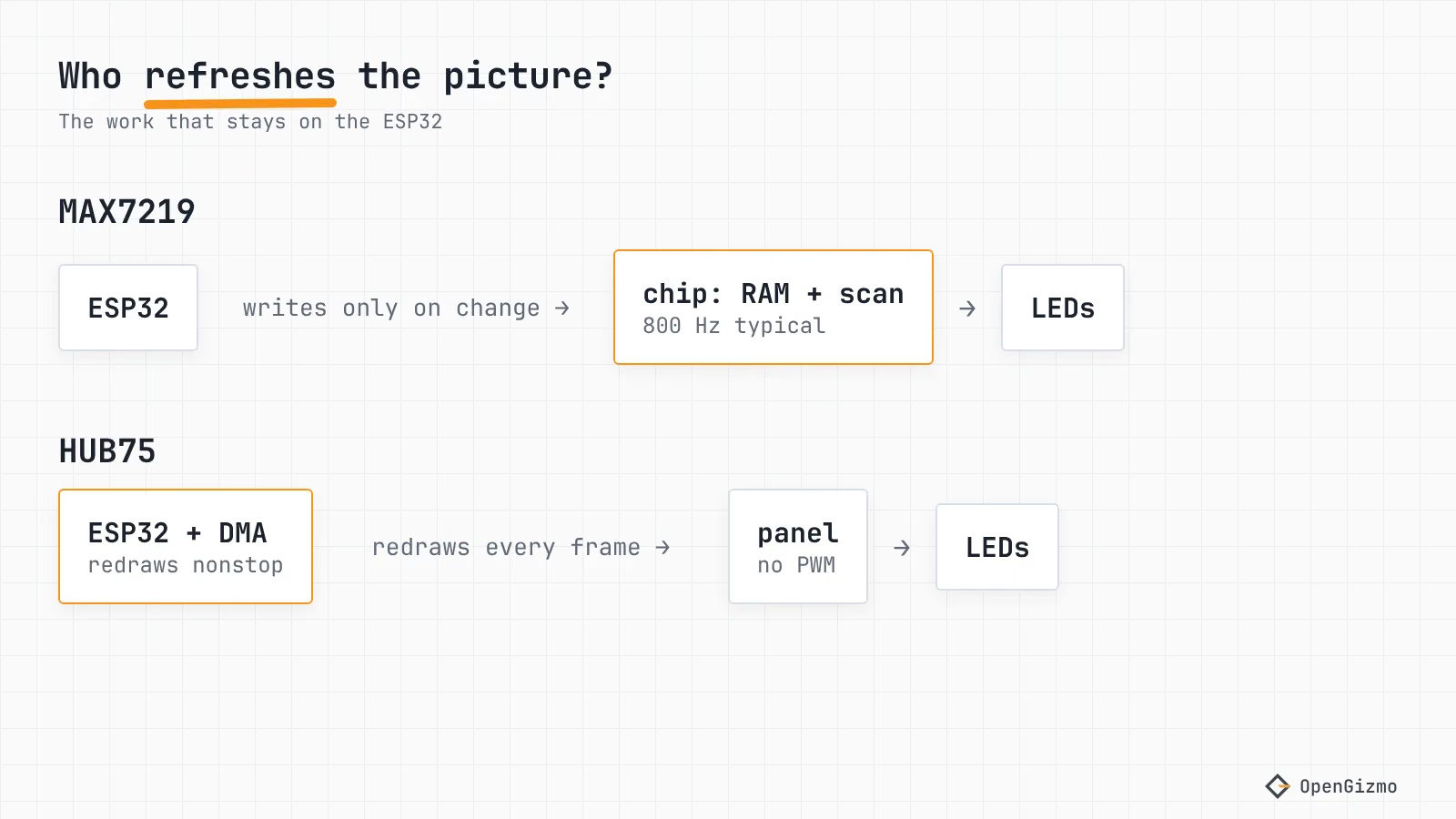
For a gadget that spends its life on Wi-Fi, a MAX7219 is easier, because it leaves the CPU alone. The chip scans its own LEDs; the datasheet gives a display scan rate of 800 Hz typical with 8 digits scanned. The chip takes 16-bit packets over its serial interface and keeps the picture in its own RAM, so a static image costs the ESP32 nothing and a scroll costs only the frames that change. The Gizmo Ticker's main loop shows the idea: it manages the Wi-Fi connection, waits for MD_Parola's displayAnimate() (called in matrix.cpp) to finish the current message, then loads or refreshes the market data before rendering the next one (main.cpp). The firmware pins MD_Parola 3.7.5 and MD_MAX72XX 3.5.1 in platformio.ini.
One detail from that code: MD_MAX72XX is not thread-safe, so when you change the brightness from the web app, the web server task only raises a flag, and the main loop applies it between frames. It is a small thing, but it is the kind of bookkeeping a shared display forces on you.
With HUB75, the ESP32-HUB75-MatrixPanel-DMA library does the continuous redraw, and the numbers in its README set the limits:
- Supported chips are the ESP32, ESP32-S2 and ESP32-S3; the ESP32-C3 is not supported
- DMA buffers live in internal SRAM, with about 200 KB free on the ESP32 and ESP32-S2
- Resolutions above 128x64 may cause memory errors
- High-frequency DMA signals may cause Wi-Fi interference on some board designs
- Brightness is 0 to 255, default 128, set with setPanelBrightness or setBrightness8
The Wi-Fi line is the one a networked project should read twice. It says some board designs see interference, and it says the Adafruit MatrixPortal S3 is not recommended if you need Wi-Fi. I did not test it, so treat it as a reason to prototype your exact board before you build an enclosure. The upside of HUB75 is real, though: you get a drawing library with 24-bit color, not a text engine.
Which looks better behind a diffuser?
It depends on what you want to look at, and I only have evidence for one side. The Gizmo Ticker uses 3 mm dots at a 4 mm pitch, according to my part notes for the 1088AS matrices (the 1088AS datasheet values), and the enclosure closes the front with a diffuser of 5 layers (1 mm) printed in the shell, with the LEDs 1 mm behind it. I picked 5 layers on a diffuser test print over options from 2 to 5. The result is soft red pixels, and the design rules are in the enclosure design guide.
For HUB75, I have not printed a diffuser, so I can only say what follows from the specs. A 64x32 panel with 4 mm pitch has the same pixel spacing as the ticker's matrix, but its LEDs are RGB, and a diffuser that blends neighboring pixels also blends their colors. Adafruit's 16x32 panel page lists 140 degree visibility, which suits a wall display seen from the side. If you want sharp, colorful pixels, a bare or masked panel may be better than a diffuser. If you want a calm single-color line of text on a desk, the MAX7219 plus a diffuser is the combination I can vouch for.
What does each cost for a small ticker?
As of November 2026, Adafruit lists the 64x32 4 mm panel at $39.95 (marked out of stock when I checked) and the 16x32 6 mm panel at $34.95, both for 1 to 9 units. That is before the 5 V supply sized for the panel's current, a controller with enough GPIOs, and a bigger enclosure: the 64x32 panel measures 255 x 127 x 15 mm, while the Ticker's whole enclosure has a footprint of 153.6 x 53.6 mm and is 28.2 mm high.
For the MAX7219 I did not pull a current price for this post, so I won't invent a number. My part notes describe it as a 132 x 32 mm board with four 8x8 matrices. Check your seller for the current price. What you get for it is clear from the specs: 256 red LEDs on the FC16 board against 2,048 RGB pixels on the panel.
Why does the Gizmo Ticker use a MAX7219?
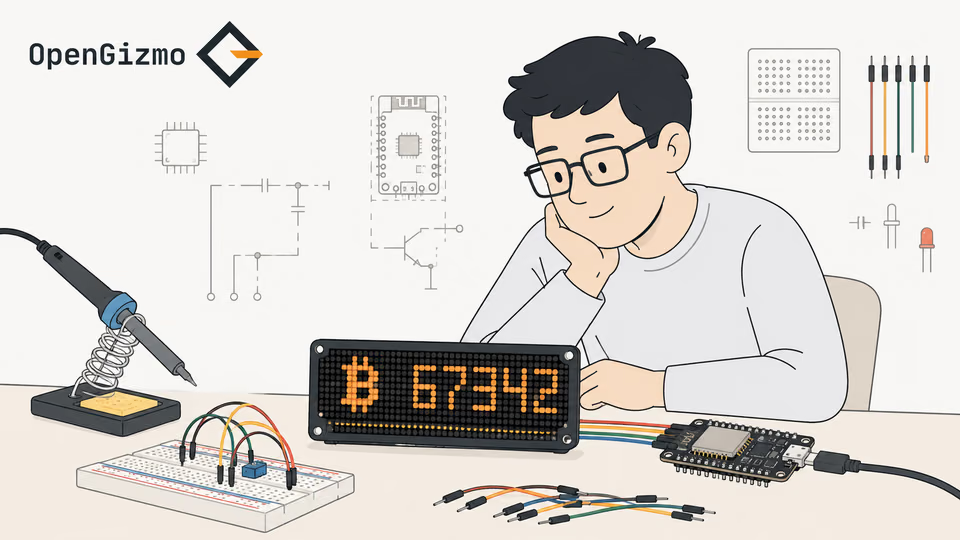
A WiFi-connected crypto display built with an ESP32, a MAX7219 LED matrix, and a Nuxt 4 web app for browser-based setup and configuration.
- Live crypto ticker
- MAX7219 LED matrix
- Web-based setup
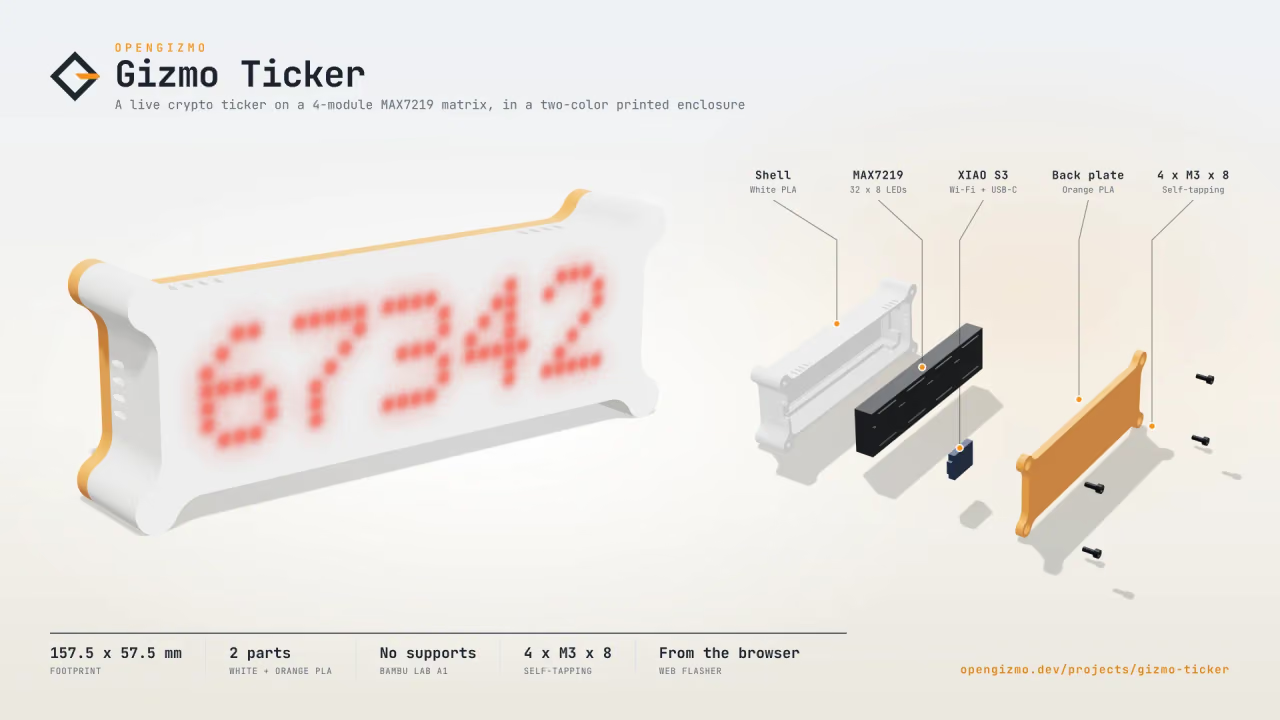
Because the job is a glanceable line of text, and everything else in the project follows from that:
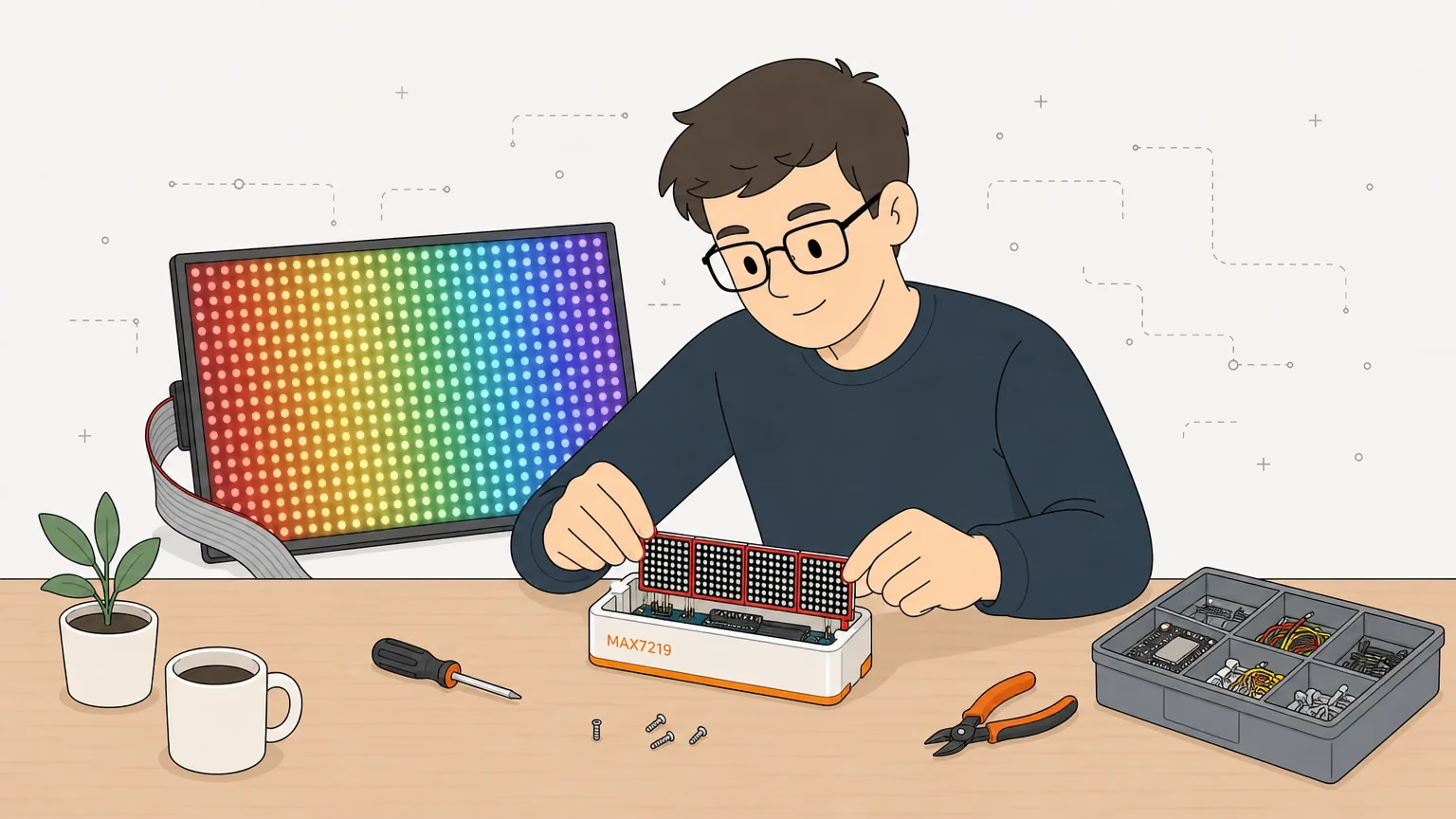
- Pins: three signal GPIOs (D8 to D10) on a board with 11 GPIO pads, so the XIAO ESP32-S3 can drive it and a HUB75 panel could not connect.
- Load: the chip holds the frame, so the CPU can spend its time on Wi-Fi, the web server and the price fetch.
- Size: one 4-in-1 board is 132 x 32 mm and fits a 153.6 x 53.6 mm shell with a printed diffuser; the firmware accepts 4 to 32 modules in steps of 4.
- Power: the Ticker is powered over USB-C, with no separate supply to size.
- Text: MD_Parola scrolls strings with a handful of calls, which is all the ticker needs.
The crypto ticker build guide shows the whole thing end to end, and CoinGecko API on ESP32 explains why it fetches prices every 6 minutes. I do not claim a color display would not be nicer. It would: a green or red price change is easier to read than a sign. The ticker simply trades that for pins, power and simplicity.
When is HUB75 the better choice?
HUB75 is the better choice when you want color, images, charts or a large display, and you can accept the pins, the memory and the 5 V supply. The library describes tested panels from 32x16 up to 128x64 and chaining in grids. Pick a MAX7219 when the job is scrolling text, a counter or a status line on a small board.
Here is a short decision list, based on the specs above:
- Text ticker, clock or counter on a XIAO or other small board: MAX7219 with MD_Parola
- Colored status icons, logos or graphs: HUB75 with an ESP32-S3 or ESP32 that has free GPIOs
- A display larger than about 128x64 pixels: HUB75 only with a lot of care about memory, as the README warns
- USB power only: MAX7219, whose worst case is far lower
The limit of this comparison is that it is a paper one. The MAX7219 side is backed by the Ticker's firmware and my part notes. The HUB75 side is backed by the library README and Adafruit's pages, with no build of my own, and prices change. If you go with the MAX7219, the next step is the FC16 wiring guide. If you are still choosing a board, which ESP32 to buy compares the chips.
Frequently asked questions
Find quick answers to the most common questions about this topic.
Yes. The ESP32-HUB75-MatrixPanel-DMA library supports the original ESP32, the ESP32-S2 and the ESP32-S3. It does not support the ESP32-C3, because RISC-V variants lack the LCD mode the library needs. The ESP32 then redraws the panel continuously using DMA, so plan for the memory and the 5 V supply.

Author
Mauro BrambillaReady to build your own gizmo?
Pick an open-source ESP32 project and follow its step-by-step guide, from the parts list and wiring to the firmware and the first boot.