What is a Microcontroller? A Beginner's Guide
A microcontroller is a small chip that combines a CPU, memory, and programmable I/O pins, built to run firmware and control hardware directly.

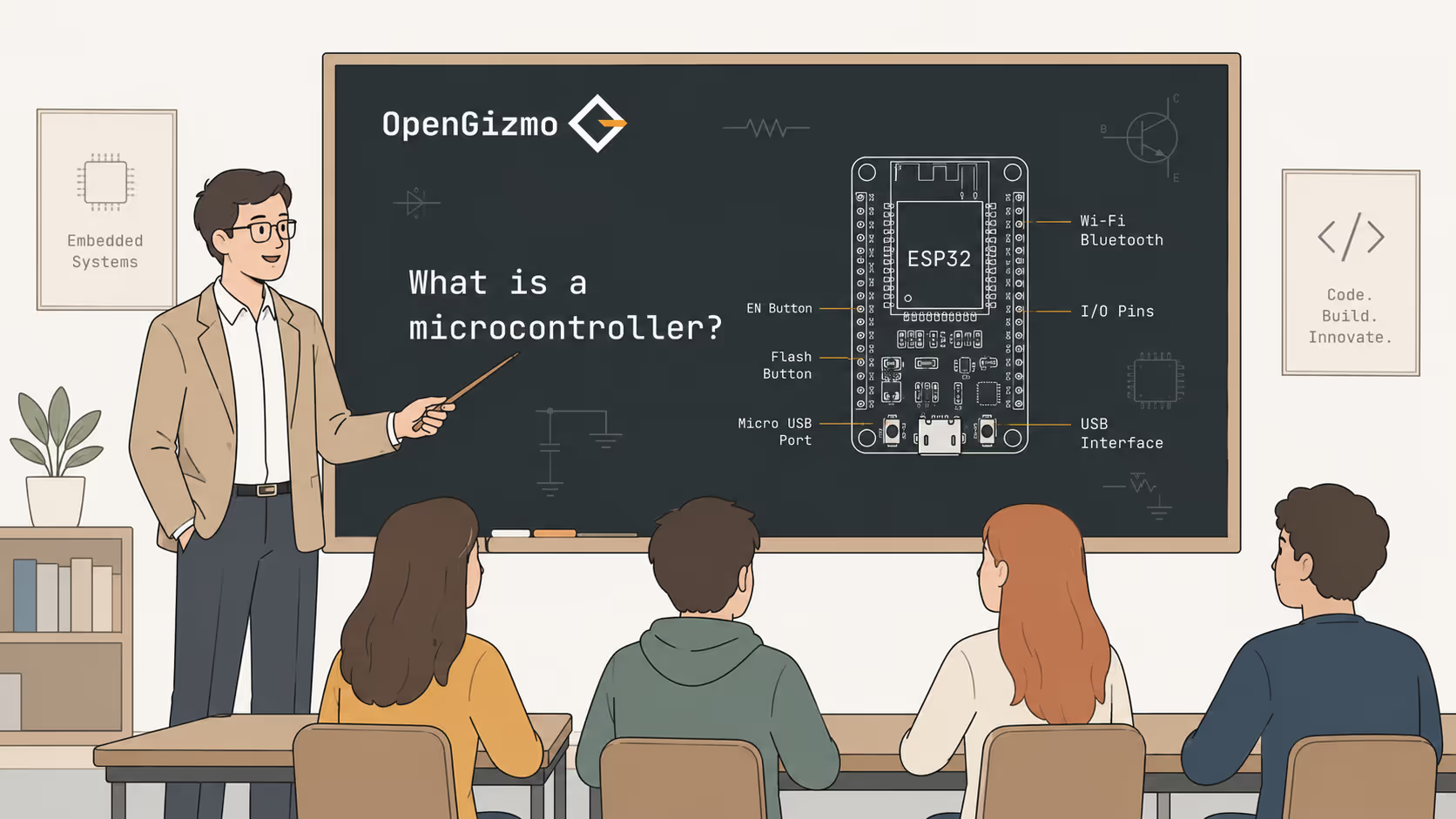
In short
A microcontroller is a self-contained chip designed to run a single firmware program and interact directly with hardware - sensors, buttons, displays, motors, and more.
Pick up almost any electronic gadget - a smart plug, a temperature logger, a custom keyboard, a robotic arm - and somewhere inside there is a microcontroller making decisions and controlling the hardware.
A microcontroller is a compact integrated circuit that bundles a CPU, program memory, working memory, and programmable pins into a single chip. Unlike the processor in a laptop or phone, it is not designed to run a broad operating system. It runs one firmware program that starts on power-up and keeps looping until the device is switched off.
That simplicity is exactly what makes microcontrollers so useful. A device that boots in milliseconds, draws a fraction of a watt, and runs the same reliable control loop for years is doing its job correctly.
- A microcontroller combines CPU, flash memory, RAM, and I/O pins in one chip
- It runs firmware - a fixed program stored in its own flash memory
- It is designed to control hardware directly, not to run an operating system
- Popular examples include the ESP32, ATmega328 (Arduino Uno), and RP2040
The Main Building Blocks
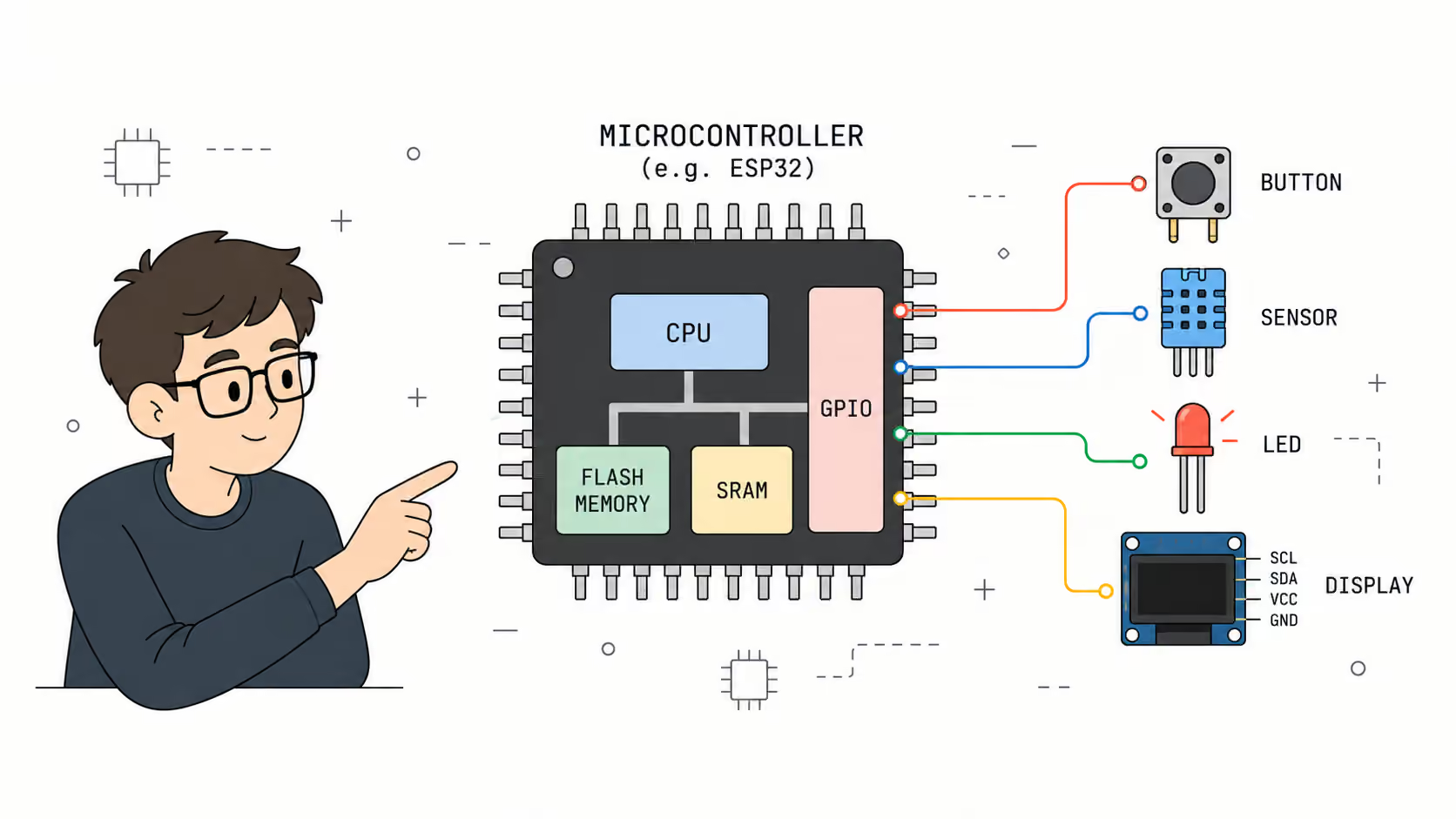
A microcontroller is not just a CPU. It is a complete system on a single chip. Understanding its parts makes it much easier to work with one effectively.
CPU
The CPU executes the instructions in your firmware one by one. Most microcontrollers use simple, power-efficient 32-bit or 8-bit cores running at speeds between a few MHz and a few hundred MHz. The ESP32, for example, uses a dual-core Xtensa LX6 running at up to 240 MHz - powerful enough to handle WiFi, Bluetooth, and complex application logic all at once.
Speed matters less than efficiency in this context. The CPU needs to respond to events and update outputs fast enough that the user or the connected hardware never notices a delay. For most practical embedded devices, even a modest CPU is more than enough.
Flash Memory
Flash memory is where your firmware lives. When you compile and upload a program over USB, the binary is written to flash. That program persists across power cycles, which is why the device restarts into the same known behavior every time you plug it in.
Flash capacity on microcontrollers ranges from a few kilobytes on simple 8-bit chips to several megabytes on more capable platforms. The ESP32 typically ships with 4 MB of flash, enough for complex firmware and small local assets.
SRAM
SRAM is the working memory - where variables, buffers, and runtime state live while the program runs. It is volatile, meaning it clears on every reset. SRAM is typically much smaller than flash. A classic Arduino Uno has 2 KB of SRAM; the ESP32 has around 520 KB.
Running out of SRAM is a real constraint in embedded development, unlike the memory pressure that most application software developers rarely think about. Every string buffer, every struct, every local variable in a deep call stack costs SRAM. Getting comfortable with that limit is part of becoming a competent embedded developer.
GPIO Pins
GPIO stands for General Purpose Input/Output. These are the physical pins that connect the microcontroller to the real world. Each pin can be configured as a digital input, a digital output, or on supported pins, as an analog input through an integrated ADC.
GPIO pins are how the microcontroller reads a button press, measures a sensor voltage, drives a relay, controls a motor, or signals another chip. Without GPIO, the CPU would be calculating in isolation with nothing to show for it.
Built-in Peripherals
Modern microcontrollers go far beyond simple GPIO. The chip includes dedicated hardware blocks for common communication and timing tasks so the CPU does not have to bit-bang everything manually:
- ADC (Analog-to-Digital Converter) - converts analog voltages from sensors into numeric values the CPU can work with
- PWM (Pulse-Width Modulation) - controls motor speed, LED brightness, and servo angle via timed pulses
- UART - serial communication with computers, GPS modules, Bluetooth adapters, and other chips
- I2C - a two-wire bus for sensors, small displays, EEPROMs, and real-time clocks
- SPI - a faster four-wire bus for displays, SD cards, and high-speed peripherals
- Timers - precise time measurement, event scheduling, and pulse generation
More capable chips like the ESP32 also include WiFi, Bluetooth, a DAC, capacitive touch sensing, and a Hall effect sensor - all integrated on the same silicon.
How Does a Microcontroller Work?
A microcontroller starts executing firmware the moment power is applied. Most embedded firmware follows the same two-phase structure regardless of what the device actually does:
- Setup phase - runs once at startup; configures pins, initializes peripherals, connects to networks, and brings the hardware into a known starting state
- Main loop - runs continuously after setup; checks inputs, updates internal state, and drives outputs at whatever rate the hardware demands
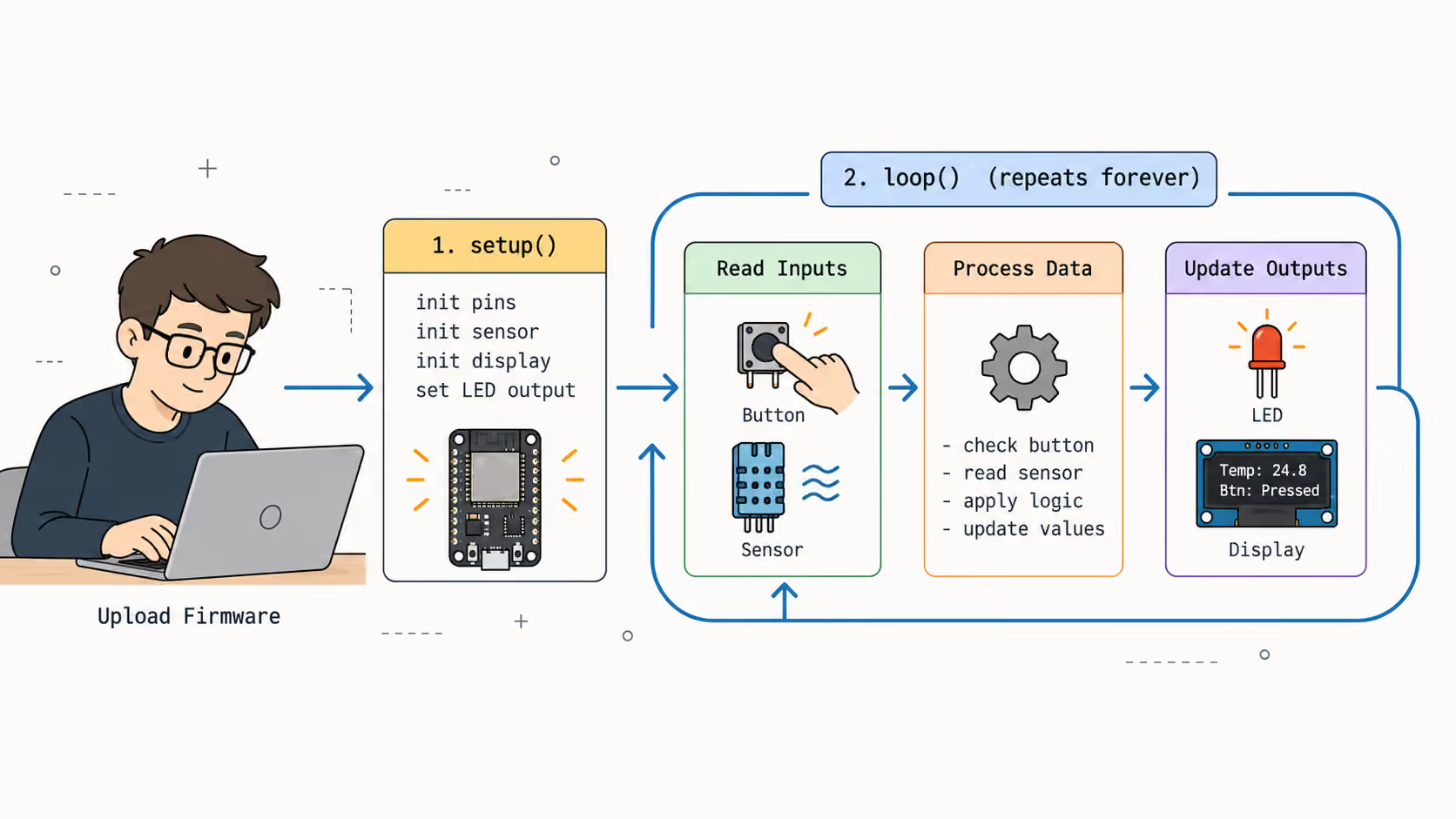
This loop runs thousands to millions of times per second depending on the chip speed and what the loop body does. Each pass through the loop reads from inputs, computes a result, and writes to outputs. The cycle time is what determines how quickly a device can respond to changes in the physical world.
Interrupts
When something time-sensitive needs attention - a rising edge on a GPIO pin, a byte arriving over UART, a timer expiring - the hardware fires an interrupt. The CPU pauses whatever the main loop was doing, executes the interrupt service routine (ISR), and then returns exactly where it left off.
Interrupts are what let a microcontroller respond to external events in real time without constantly polling every possible input. A button press handler that runs in an ISR will always catch the event, even if the main loop is occupied with something else. Getting interrupt timing and data sharing right is one of the core skills in embedded firmware.
What Is the Difference Between a Microcontroller and a Microprocessor?
These two terms are frequently confused, especially when comparing ESP32-style boards to Raspberry Pi-style boards. They are genuinely different classes of silicon designed for different jobs.
| Microcontroller | Microprocessor | |
|---|---|---|
| Memory | Flash and SRAM built in | Needs external RAM and storage |
| Operating system | No OS (or a lightweight RTOS) | Runs Linux, Windows, or similar |
| Startup time | Milliseconds | Tens of seconds |
| Power draw | Milliwatts to tens of milliwatts | Hundreds of milliwatts to watts |
| Programming model | Bare metal firmware loop | Processes, threads, system calls |
| Use case | Real-time hardware control | General computing, apps, UI |
| Common examples | ESP32, ATmega328, RP2040 | Raspberry Pi, BeagleBone |
The short version: use a microcontroller when the job is controlling hardware in real time with low power and fast startup. Use a microprocessor when the job involves running a browser, a database, a Linux service, or anything that needs a full general-purpose OS.
Many systems combine both - a microprocessor handles the application layer while a dedicated microcontroller handles real-time hardware interaction. Your keyboard controller, your USB hub, and the charging circuit in your laptop likely all run microcontrollers, even if the laptop itself has a microprocessor.
What Are Microcontrollers Used For?
Microcontrollers are everywhere in finished products. Most of the time they are completely invisible - you interact with the result, not the chip.
- Home automation - smart plugs, programmable thermostats, lighting controllers
- Wearables - fitness trackers, heart rate monitors, gesture-controlled devices
- Industrial sensors - temperature loggers, pressure monitors, valve controllers
- Consumer electronics - remote controls, kitchen appliances, audio gear, cameras
- Robotics - motor controllers, sensor fusion, servo coordination
- Maker projects - connected dashboards, custom displays, physical device UIs
On the maker side, projects like Gizmo Ticker and Gizmo Reolink Switch are representative examples: ESP32-based devices that monitor and control something in the real world, running a focused firmware loop that does one job reliably and well.
Popular Microcontrollers Worth Knowing
The microcontroller ecosystem is large, but a handful of platforms dominate the accessible end of the space.
For exact specs, the manufacturers are the primary source: see Espressif's ESP32 overview and ESP8266 overview, and Arduino's Uno Rev3 documentation.
| Chip | Architecture | Key Features | Best For |
|---|---|---|---|
| ESP32 | Xtensa LX6 dual-core, 32-bit | WiFi, Bluetooth, 34 GPIO, ADC, touch pins | Connected IoT gadgets and maker projects |
| ATmega328 (Arduino Uno) | AVR 8-bit | Simple, 5 V tolerant, enormous community library support | Learning, simple digital control |
| RP2040 (Raspberry Pi Pico) | ARM Cortex-M0+ dual-core | Fast, programmable I/O state machines, generous SRAM | High-speed I/O, USB, audio |
| STM32 (e.g. STM32F103) | ARM Cortex-M3 | Wide peripheral set, strong debugging toolchain | Industrial, commercial, and advanced projects |
| ATtiny85 | AVR 8-bit | Tiny package, very low power draw | Minimal embedded tasks in constrained hardware |
For new connected projects, the ESP32 is a strong default choice. It ships with WiFi and Bluetooth built in, runs a dual-core processor fast enough for real firmware, and has a mature ecosystem of libraries, tools, and community examples. For a comparison of the two most common Espressif chips, see ESP32 vs ESP8266.
How to Start Programming a Microcontroller
Getting started is significantly more accessible than it was a decade ago. The toolchain friction has dropped with platforms like Arduino and PlatformIO absorbing most of the complexity.
- Pick a board - for most new projects, an ESP32 development board with USB-C is the safest starting point
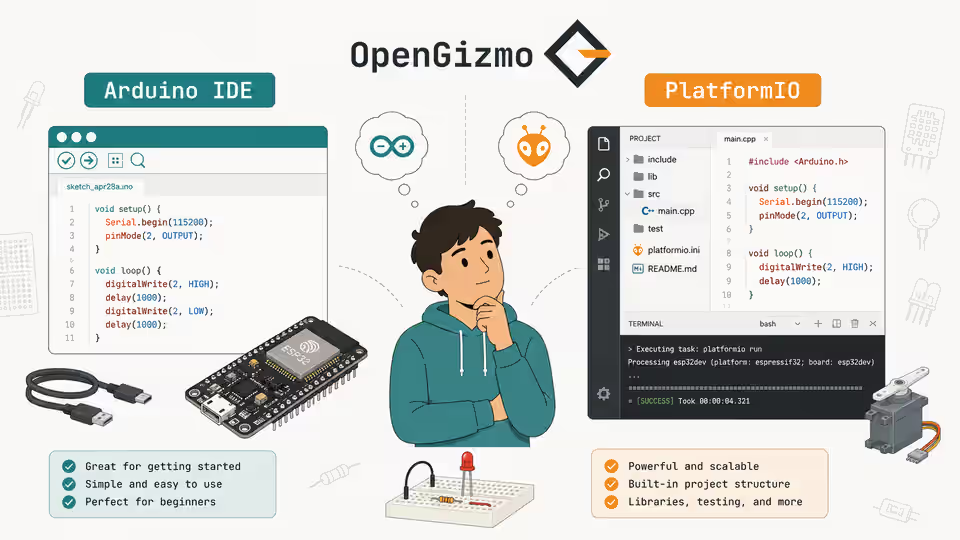
- Install a toolchain - Arduino IDE is the most beginner-friendly; PlatformIO gives a more structured workflow once projects grow
- Write a minimal program - start with something concrete: blink an LED, read a button, print a value over serial
- Add a real peripheral - wire an I2C sensor or small OLED display and read from it in your loop
- Close the feedback loop - combine input and output: measure temperature and display it, detect a button and trigger an action
For a detailed comparison of the two main toolchain options, see Arduino IDE vs PlatformIO for ESP32.
The most important rule is to build something concrete from the start. Firmware that stays theoretical rarely clicks. Writing code that controls actual hardware - even something as simple as reacting to a button press - teaches more than hours of reading can.
Why Constraints Are Part of the Design
Working with a microcontroller means working with real, hard limits. You have kilobytes of RAM, not gigabytes. You have microseconds to handle an interrupt. You cannot malloc your way out of a tight memory budget, and you cannot install a new dependency the way you would in a Node or Python project.
Those constraints are not flaws. They are what makes microcontrollers excellent at what they do. A device that boots in 100 milliseconds, draws 60 milliwatts on average, and runs the same firmware loop without a reboot for months is succeeding at its job.
The embedded mindset - specific hardware, specific behavior, deliberate resource use - is different from general software development. It takes some adjustment. But once the mental model clicks, the constraints become a kind of design discipline: you cannot hide behind abstraction, so you have to understand what the hardware is actually doing. That clarity tends to produce more reliable software, not less.
Final Thoughts
A microcontroller is one of the most underrated building blocks in electronics. It sits behind nearly every intelligent device that does not need a full operating system, and it makes real-time hardware control practical, affordable, and accessible to anyone willing to learn a bit of C or C++.
If you are just getting started, pick an ESP32 board, wire up a sensor, and build something that reacts to the physical world. That first working feedback loop - where your code reads real data and controls a real output - is where microcontroller development starts to make real sense.
Browse the OpenGizmo projects to see practical examples of what you can build once the fundamentals click.
Frequently asked questions
Find quick answers to the most common questions about this topic.
A microcontroller is a compact integrated circuit that combines a CPU, flash memory, RAM, and programmable I/O pins on a single chip. It runs a fixed firmware program stored in its own flash memory and is designed to control hardware directly.

Author
BrumaReady to build your own gizmo?
Pick an open-source ESP32 project and follow its step-by-step guide, from the parts list and wiring to the firmware and the first boot.