Display
01A 1.28" GC9A01 round display at 240 × 240, with range rings, a compass and a sweeping beam, drawn at about 25 frames a second.
A live plane radar for your desk, on an ESP32-S3 and a round display, showing the aircraft around you with a web app to set it up from your phone.
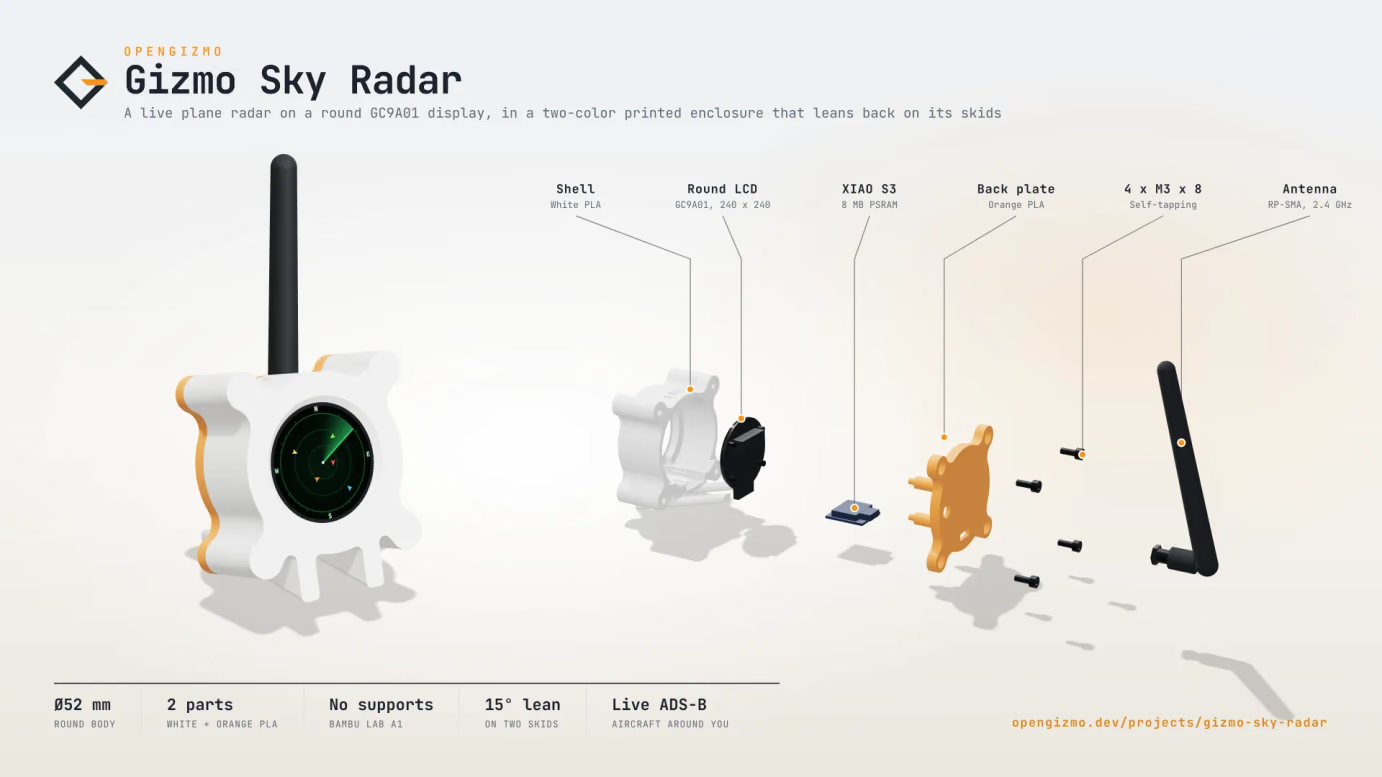
How the parts fit together, and what each detail of the build is for.
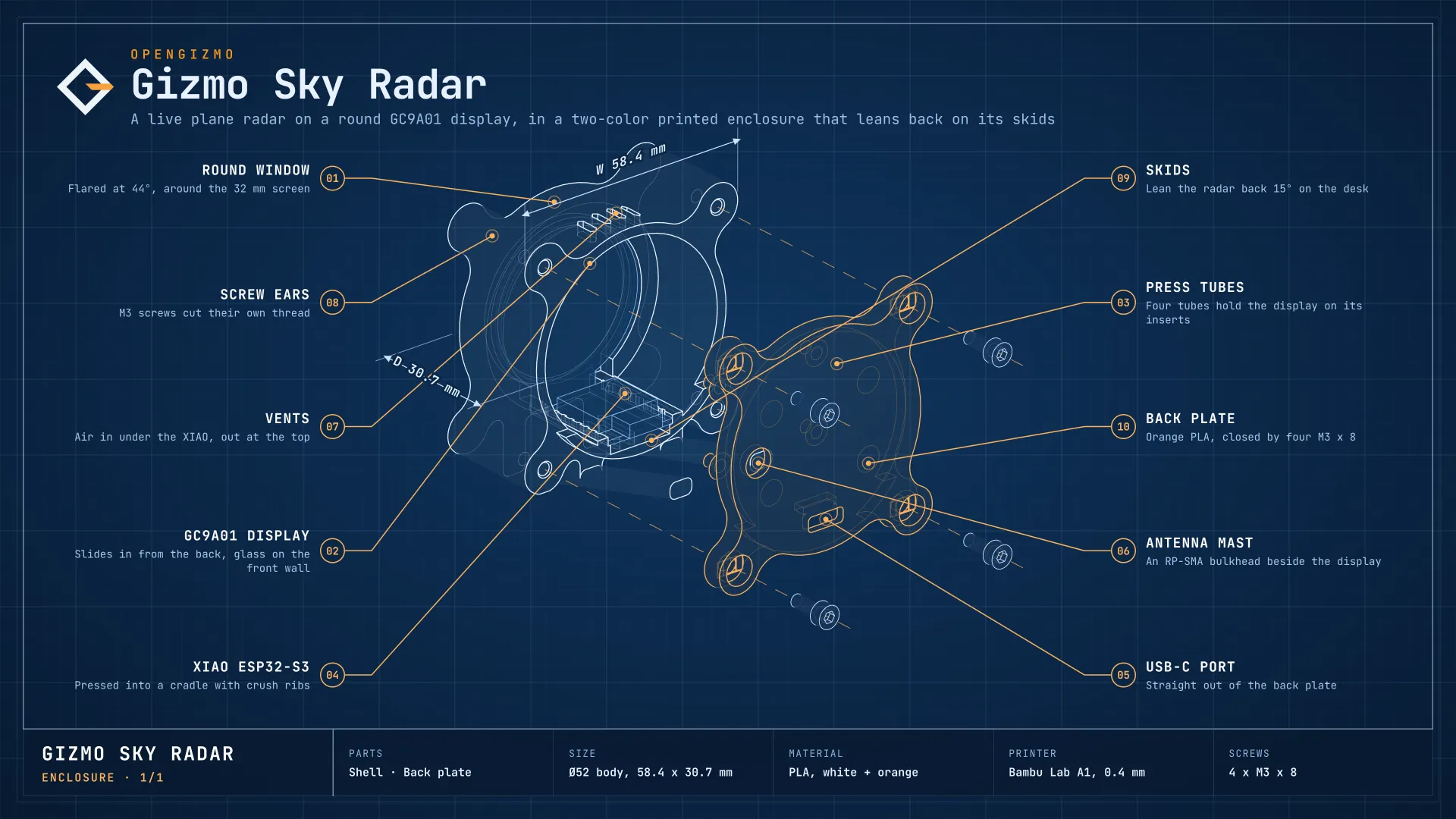
A quick overview of the hardware, firmware, and behavior behind this build.
A 1.28" GC9A01 round display at 240 × 240, with range rings, a compass and a sweeping beam, drawn at about 25 frames a second.
The aircraft around your location, downloaded from adsb.fi every few seconds, drawn turned to their track, colored by altitude, and moving smoothly between downloads.
A small API (/api/aircraft, /api/config, /api/settings) that scripts and other devices can call directly, and a Markdown guide for AI agents at /llms.txt.
Flashed from the browser, then set up from a hotspot on first boot, with local access through gizmo-sky-radar.local on supported networks. No code to edit and no credentials in the firmware.
Gizmo Sky Radar puts the sky above your home on your desk: a small round display that shows the aircraft around you, live, like a real radar screen. Watch the airliners pass overhead, see where they are going, and catch the rare emergency as it happens.
The radar keeps two jobs apart, so the display never waits for the network.
| Step | What happens |
|---|---|
| Download | A task of its own downloads the aircraft around your location from adsb.fi every few seconds, and keeps the nearest ones. |
| Track | Between two downloads, each aircraft moves on along its track at its ground speed, so it glides instead of jumping. |
| Draw | The radar is drawn off screen and pushed to the display in one go, about 25 times a second, with the sweep, the rings and the labels. |
When the internet goes down, the radar waits a little longer before each new try, and says on screen when the data gets old.
Gizmo Sky Radar turns a few euros of hardware into a window on the sky that you can glance at all day. It is also a compact template for any ESP32 project that draws live data on a round display.
What you see on your phone once the device is on your Wi-Fi.


The parts to get before you start, and what to look for when you buy them.
Seeed Studio XIAO ESP32-S3
Its 8 MB of PSRAM hold the frame of the display and the downloaded flights, so the firmware needs a module that has it.
GC9A01 round display
1.28", 240 × 240, with an SPI interface: the common module with VCC, GND, DIN, CLK, CS, DC, RST and BL pins.
U.FL to RP-SMA pigtail
A short cable from the U.FL connector of the XIAO to an RP-SMA bulkhead jack, which goes through the back plate of the enclosure as the antenna mast.
2.4 GHz RP-SMA antenna
It screws onto the mast on the back of the enclosure, and replaces the flat antenna that comes with the XIAO.
Jumper wires
One for each pin of the display.
USB-C data cable
A data cable, not a charge-only one, to flash and power the XIAO.
Follow these steps to get the project running, from the first local setup to the initial upload or configuration.
Step 1
Connect the eight pins of the GC9A01 round display to the XIAO ESP32-S3, following the pinout on GitHub, then plug the XIAO into your computer with a data USB cable. Use Chrome or Edge, so the browser flasher can find its serial port.
Step 2
Scroll down to the firmware flashing card, start the upload from the browser, and wait for it to complete. If the flasher can't connect, hold BOOT on the XIAO, press and release RESET, then release BOOT and try again. When it's done, press RESET to start the new firmware.
Step 3
On the first boot, join the Gizmo-Sky-Radar hotspot with your phone, and pick your network on the page that opens. The display tells you what to do, and the Wi-Fi is saved on the board, never in the firmware.
Step 4
Once the radar joins your Wi-Fi, open gizmo-sky-radar.local, go to Settings and paste the coordinates of your home from any map. The aircraft around you appear on the display and in the web app.
A few practical answers about how the project works, how it is configured, and what to expect from the hardware.
The aircraft around a location you choose, live: small airplanes on a round radar, turned to their track and colored by altitude, with their callsign and altitude. A spotlight cycles through the nearest ones with their name, type, speed, distance and direction, and emergencies blink in red.
Browse the repository for firmware, hardware notes, and the implementation details behind this build.
Open GitHub
More open-source ESP32 builds you can make next.
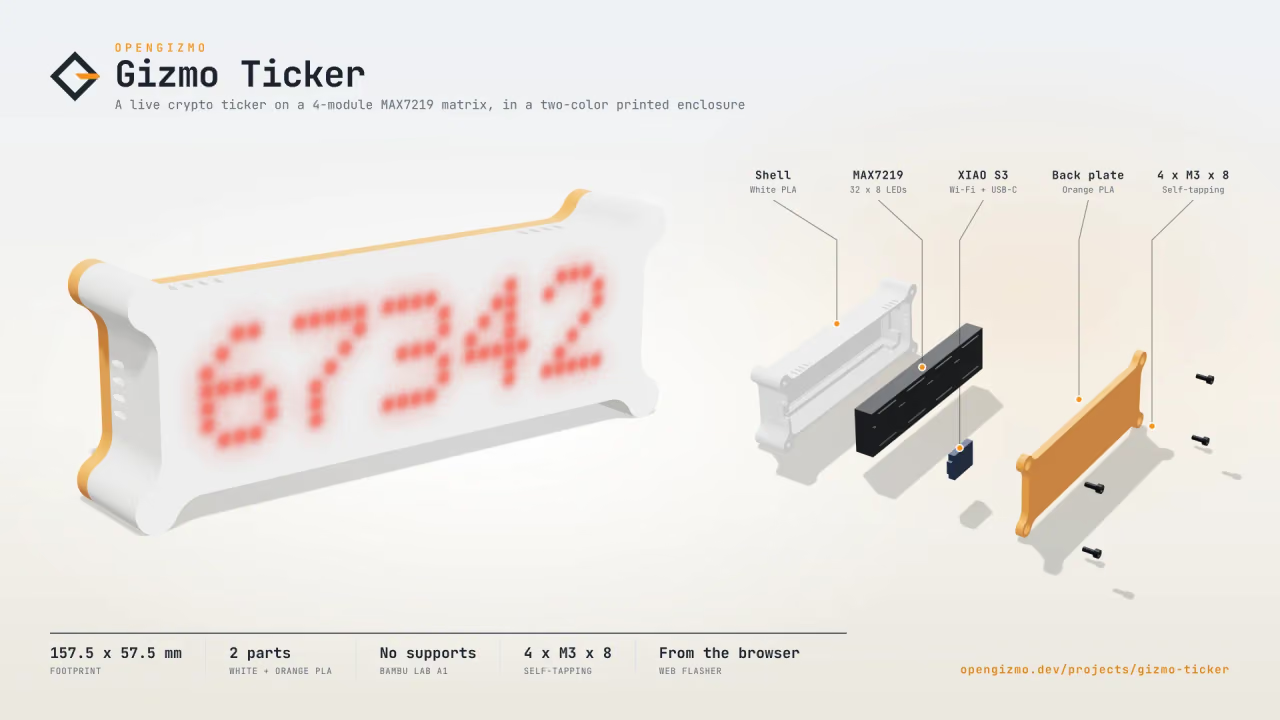
A WiFi-connected crypto display built with an ESP32, a MAX7219 LED matrix, and a Nuxt 4 web app for browser-based setup and configuration.
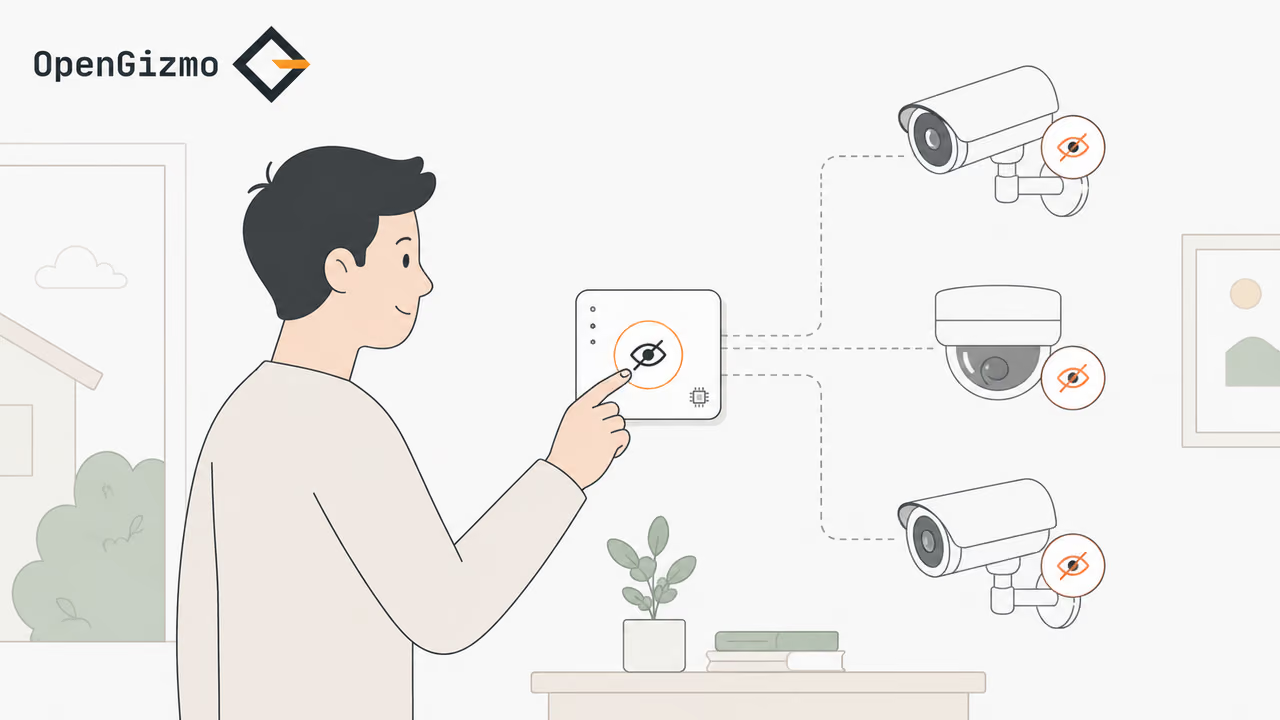
An ESP32-powered quiet-exit switch that uses a button, buzzer, 16x2 I2C LCD, and WiFi connection to temporarily mute Reolink NVR notifications and recording.
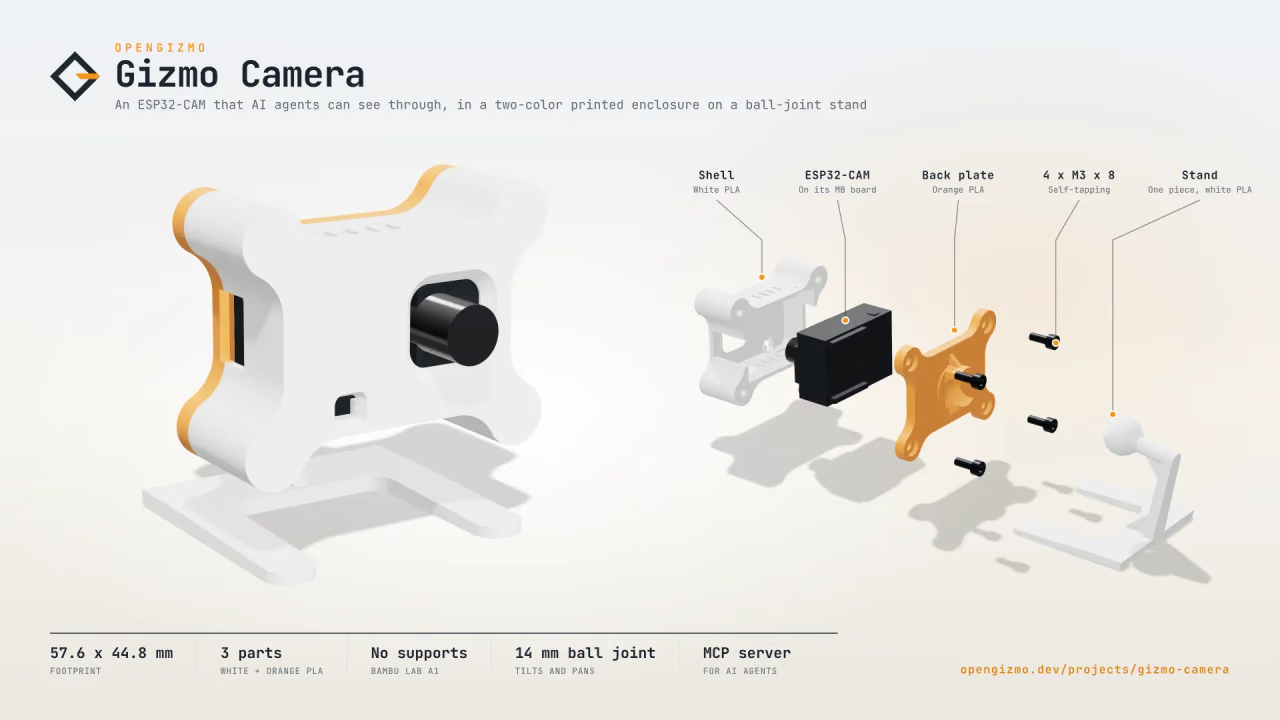
An ESP32-CAM Wi-Fi camera that takes a JPEG snapshot on every request, with a web app to set it up from your phone and an MCP server for AI agents.